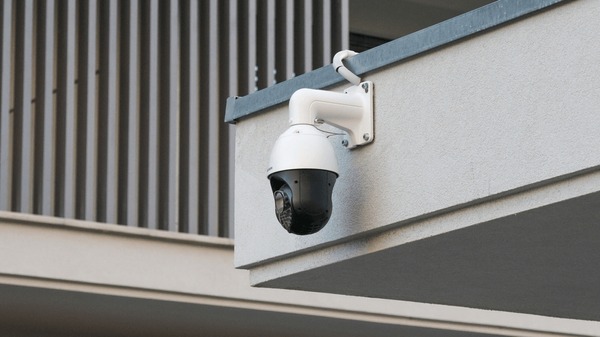
A construction site after hours is one of the easiest targets in commercial crime. No permanent walls. No alarm system. Expensive materials stacked in the open. Heavy equipment sitting unattended. Every general contractor, project manager, and site owner knows the anxiety of leaving a job site overnight and hoping everything is still there in the morning.
Construction site security cameras solve that problem. Temporary, purpose-built surveillance systems designed for the harsh, ever-changing environment of an active construction site. They run on solar power, transmit over cellular networks, mount on portable poles or trailers, and give you live eyes on your site from anywhere -- 24 hours a day.
At Security Dynamics Inc., we have been installing commercial security systems across New Jersey for 37 years. Construction site surveillance is one of the fastest-growing segments of our business, and for good reason: the cost of not having cameras is almost always higher than the cost of having them.
Why Construction Sites Need Security Cameras
Construction sites face a unique combination of security challenges that permanent commercial buildings do not. Understanding these threats is the first step toward choosing the right camera system.
Theft Is the Number One Problem
Construction site theft costs the industry over $1 billion annually in the United States. The National Equipment Register and the National Insurance Crime Bureau have tracked this number for years, and it keeps climbing. What gets stolen? Everything:
- Copper wire and plumbing: Copper prices make roughed-in wiring and plumbing a prime target. Thieves can strip a building’s worth of copper in a single night.
- Power tools: Drills, saws, generators, and compressors walk off sites constantly. Smaller tools are easy to carry and easy to sell.
- Heavy equipment: Excavators, skid steers, and loaders are stolen more than most people realize. A stolen excavator can cost $50,000-$200,000 to replace -- and insurance claims take months.
- Building materials: Lumber, drywall, roofing materials, HVAC equipment, and appliances staged for installation are all targets, especially for sites building multiple units.
- Fuel: Diesel theft from equipment tanks is common and often goes unnoticed until a machine runs dry.
Security cameras with motion-activated alerts catch theft attempts in real time. Visible cameras also deter opportunistic thieves who are looking for the easiest target -- and a site without cameras is always easier than a site with them.
Vandalism and Trespassing
Open construction sites attract trespassers: teenagers looking for a place to hang out, people looking for a shortcut, and occasionally deliberate vandals. Vandalism can range from graffiti to arson. Trespassers can injure themselves on the site and create liability for the property owner and general contractor. Cameras document who enters the site and when, creating a record that protects you legally and helps law enforcement if an incident occurs.
Liability Protection and Incident Documentation
Construction sites are inherently dangerous. Falls, equipment accidents, and material handling injuries happen even on well-run sites. Security cameras provide an objective record of what happened, when, and how. This footage is invaluable for:
- Workers’ compensation claims: Verify what actually happened versus what is claimed.
- Third-party liability: If a trespasser is injured on your site, footage shows whether your safety measures were adequate and whether the person was authorized to be there.
- Subcontractor disputes: Cameras record which crews were on site, when they arrived, and when they left. This resolves scheduling disputes and damage responsibility questions.
- OSHA investigations: If OSHA investigates an incident, camera footage provides a factual record that can protect or expose the general contractor.
Progress Monitoring and Time-Lapse Documentation
Beyond security, construction cameras serve a powerful project management function. Time-lapse cameras capture one frame every few seconds or minutes, creating a compressed visual record of the entire build. Project managers use this footage to:
- Monitor daily progress without being physically on site
- Verify that work matches the schedule and specifications
- Create client-facing progress updates and marketing content
- Document the construction sequence for warranty and legal purposes
- Identify inefficiencies in workflow and crew deployment
Many construction camera systems combine security surveillance with time-lapse capability in a single unit, giving you both functions from one investment.
Safety Compliance Monitoring
OSHA requires specific safety practices on construction sites: hard hats, fall protection, proper scaffolding, trench shoring, and more. Cameras positioned at key work areas let safety managers monitor compliance remotely. Some advanced systems use AI-powered analytics to automatically flag workers not wearing required PPE (personal protective equipment), creating alerts before an inspector does.
Types of Temporary Construction Site Cameras
Construction cameras are built differently than the fixed cameras you see on office buildings. They need to deploy fast, survive harsh conditions, work without permanent power or internet, and relocate as the project progresses. Here are the four main types:
Solar-Powered Cameras
Solar-powered cameras are the workhorses of construction site surveillance. They combine a high-resolution camera, solar panel, battery bank, and cellular modem in a single weatherproof unit. No electrical wiring. No internet connection. Just mount the unit on a pole, aim it at the area you need to cover, and it starts recording and transmitting.
How they work: The solar panel charges an internal battery during daylight hours. The battery powers the camera, infrared LEDs (for night vision), and the cellular modem around the clock. Most units maintain full operation through 5-7 days of overcast weather without direct sunlight. Footage is transmitted via 4G/LTE cellular to a cloud platform you access from your phone or computer.
Best for: Perimeter monitoring, entry/exit surveillance, material storage areas, and any location without access to electrical power.
Limitations: Solar panels need reasonable sun exposure. Sites surrounded by tall buildings or heavy tree cover may not generate enough charge. In northern New Jersey, shorter winter days reduce charging capacity -- oversized panels or supplemental battery packs solve this.
Cellular / 4G LTE Cameras
Cellular cameras use mobile network connectivity (4G LTE, increasingly 5G) instead of Wi-Fi or wired internet. They can be solar-powered or plug into standard AC power if available on site. The cellular connection handles both live video streaming and cloud storage uploads.
How they work: A SIM card inside the camera connects to the cellular network, just like your phone. Video footage streams to a cloud-based management platform. You view live feeds, recorded footage, and receive motion alerts through a mobile app or web dashboard. Data plans typically run 30-100 GB per month per camera depending on resolution and recording frequency.
Best for: Any construction site without internet service -- which is most of them, especially in early construction phases before utilities are connected.
Limitations: Cellular signal strength matters. Sites in rural areas or locations with poor cell coverage may experience dropped connections or low video quality. A site survey before installation confirms signal strength and identifies the optimal carrier.
Trailer-Mounted Camera Systems
Mobile surveillance trailers are self-contained security platforms on wheels. A typical trailer includes multiple cameras (usually 4-8) mounted on a telescoping mast that extends 20-30 feet high, solar panels, battery banks, cellular communication, floodlights, a loudspeaker for two-way audio, and sometimes a siren. The entire system tows behind a pickup truck and deploys in under 30 minutes.
How they work: The elevated mast gives cameras a bird’s-eye view that covers a much larger area than pole-mounted cameras. Some trailers include PTZ (pan-tilt-zoom) cameras that can be remotely controlled to track activity across the site. Integrated floodlights illuminate the area at night, and the loudspeaker allows a remote monitoring operator to issue verbal warnings to trespassers.
Best for: Large construction sites, multi-phase projects where the surveillance needs to relocate as work progresses, sites requiring maximum visible deterrence, and projects where the owner wants professional monitoring with live intervention capability.
Limitations: Higher cost than standalone cameras. Requires a level surface and enough space for the trailer footprint. The mast can be affected by high winds -- most systems auto-retract above a certain wind speed threshold.
Portable Pole Cameras
Portable pole cameras are a middle ground between standalone solar cameras and full trailer systems. They consist of a lightweight, telescoping pole (typically 12-20 feet) with a camera head, solar panel, and cellular modem. The pole mounts to a concrete base, chain-link fence, or weighted platform. No trailer, no wheels -- just the camera system on a relocatable pole.
How they work: Similar to solar cameras but with the height advantage of an elevated mount. The elevated position provides wider coverage, better angle for license plate capture, and visibility as a deterrent. Many pole camera systems support multiple camera heads on a single pole for 360-degree coverage.
Best for: Medium-sized sites, perimeter monitoring along fencing, entrance/exit points, and projects that need more coverage than a single camera but less infrastructure than a trailer.
Limitations: The pole needs to be properly secured to prevent theft of the camera system itself. Concrete base or deep-driven post is recommended over simple weighted platforms in high-wind areas.
Features to Look for in Construction Site Cameras
Not every camera marketed for construction use is actually built for the job. Here are the features that separate serious construction cameras from repackaged consumer products:
Night Vision (Infrared Illumination)
Most construction site incidents happen after dark. Your cameras need clear night vision capability. Look for infrared (IR) LED illumination rated for at least 100 feet. Better systems offer 150-300 feet of IR range. Some premium units include supplemental white-light LEDs that can activate on motion to both improve image quality and startle intruders. True IR performance matters more than the megapixel count -- a 4MP camera with strong IR will produce better nighttime footage than an 8MP camera with weak illumination.
Weather Resistance (IP67 Rating Minimum)
Construction cameras live outdoors through rain, snow, dust, extreme heat, and freezing cold. Look for an IP67 rating at minimum -- this means the camera is fully dust-tight and can survive temporary submersion in water. IP66 handles rain and dust but may not survive a direct hose-down during site cleanup. Operating temperature range matters too: look for units rated -30°F to 140°F to cover New Jersey’s full seasonal range.
Remote Access and Mobile App
The whole point of construction cameras is seeing your site when you are not there. The management platform should provide:
- Live video streaming from every camera
- Recorded footage playback with date/time search
- Mobile app for iOS and Android with full functionality
- Web dashboard for desktop viewing
- Multi-user access so the GC, owner, and project manager can all view independently
- Camera health monitoring (battery level, solar charge, signal strength, storage status)
Motion-Activated Alerts
Cameras that only record are cameras you have to watch. Motion-activated alerts push notifications to your phone the moment something moves in the camera’s field of view. Better systems let you define motion zones (alert on the material storage area but ignore the road in the background), set sensitivity thresholds, and schedule alert windows (after hours only). AI-powered systems can distinguish between people, vehicles, and animals -- reducing false alerts from wildlife or blowing debris.
Cloud Storage
On-camera SD card storage is a backup, not a primary strategy. If someone steals the camera, they steal the evidence. Cloud storage uploads footage to a remote server as it records, so even if the camera is stolen or destroyed, the footage is preserved. Most construction camera platforms include 30-90 days of cloud storage in their service plans. Some offer extended retention for projects that need longer archival.
Time-Lapse Capability
If you want progress documentation alongside security, look for cameras with built-in time-lapse functionality. The camera captures a high-resolution still image at set intervals (every 10 seconds, every minute, every 5 minutes) and compiles them into a time-lapse video. Some platforms generate daily or weekly time-lapse summaries automatically. This is valuable for client updates, marketing, and construction documentation.
Construction Camera Costs: Rental vs. Purchase
Construction site cameras are available through rental programs and outright purchase. The right approach depends on your project timeline, budget, and how many sites you typically manage simultaneously.
Rental: $200-$500 Per Camera Per Month
| Camera Type | Monthly Rental | Includes |
|---|---|---|
| Solar-powered fixed camera | $200-$300/mo | Camera, solar panel, cellular data, cloud storage, app access |
| Portable pole camera | $250-$400/mo | Camera, pole mount, solar, cellular, cloud, app |
| Trailer-mounted system (4-8 cameras) | $1,500-$3,500/mo | Trailer, multiple cameras, mast, floodlights, speaker, monitoring |
Rental makes sense when: Your project is 6 months or shorter, you only need cameras for one project at a time, you want the provider to handle maintenance and replacement, or you want to test construction cameras before committing to a purchase.
Purchase: $500-$2,000 Per Camera + Monitoring
| Component | Purchase Cost |
|---|---|
| Solar-powered camera unit | $500-$1,200 |
| Portable pole mount system | $800-$2,000 |
| Monthly cellular data plan | $20-$60/mo per camera |
| Monthly cloud storage | $10-$40/mo per camera |
| Professional monitoring (optional) | $50-$150/mo per camera |
| Total ongoing (self-monitored) | $30-$100/mo per camera |
Purchase makes sense when: You run multiple projects simultaneously and can rotate cameras between sites, your average project lasts longer than 8-10 months (the break-even point versus rental), you want to build a fleet of cameras you own and control, or you manage ongoing construction operations rather than one-off projects.
Cost per Camera: Rental vs. Purchase Over Time
| Timeline | Rental Cost (per camera) | Purchase + Service Cost |
|---|---|---|
| 3 months | $600-$900 | $590-$1,500 |
| 6 months | $1,200-$1,800 | $680-$1,800 |
| 12 months | $2,400-$3,600 | $860-$2,400 |
| 24 months | $4,800-$7,200 | $1,220-$3,600 |
The math is clear: for projects under 6 months, rental and purchase are close in cost. Beyond 8-10 months, purchasing wins decisively -- especially if you can reuse cameras across multiple projects.
Solar vs. Wired Power: Which Is Better for Construction Sites?
Solar wins for most construction sites. Here is why:
Most construction sites do not have permanent electrical service during the early and middle phases of construction. Temporary power typically comes from generators or temporary utility poles, both of which are expensive, require fuel or utility deposits, and create additional logistics. Solar-powered cameras eliminate all of that complexity.
Solar Advantages
- No electrical infrastructure needed: Deploy cameras on day one of site work, before any utilities are connected.
- No ongoing power cost: Sunlight is free. No generator fuel, no temporary utility bills.
- Easy relocation: Move cameras as the project progresses without re-running electrical.
- Resilience: Solar cameras work through power outages because they are not connected to the grid.
- Fast deployment: Mount the unit, aim it, done. No electrician needed, no permits for electrical work.
When Wired Power Makes Sense
- Indoor areas: Cameras inside a structure during later construction phases where solar is not viable.
- Heavy shade: Sites surrounded by tall buildings or dense tree cover where solar panels cannot charge adequately.
- Extreme cold with extended overcast: Northern NJ winter sites with weeks of overcast may need supplemental charging or wired power.
- High-bandwidth requirements: If you need continuous high-resolution streaming (not just motion-triggered recording), wired power eliminates battery management concerns.
For the vast majority of New Jersey construction sites, solar-powered cameras are the practical choice. They deploy faster, cost less to operate, and require no coordination with electrical contractors.
Cellular vs. Wi-Fi Connectivity: Which Should You Choose?
Cellular connectivity is the standard for construction sites. The reason is simple: most construction sites do not have internet service. Wi-Fi requires a router, which requires an internet connection, which requires a utility service address. None of that exists on an active construction site.
Cellular Advantages
- Works anywhere with cell signal: No internet connection, router, or network infrastructure needed.
- Immediate deployment: Insert SIM card, power on, the camera connects. No IT setup.
- Reliable on construction sites: Not affected by dust, vibration, or the electromagnetic interference that heavy equipment can produce.
- Independent of site infrastructure: If the site’s temporary power goes out, the camera’s cellular connection (on its own battery) keeps transmitting.
When Wi-Fi Makes Sense
- Renovation projects: If you are renovating an existing building that already has internet service, Wi-Fi cameras can use that connection and save on cellular data costs.
- Adjacent to an existing building: If the site office or an adjacent building has Wi-Fi, cameras within range can use it.
- Very high data needs: If you need multiple cameras streaming continuously in high resolution, Wi-Fi handles higher bandwidth than cellular without per-gigabyte data costs.
For new construction, cellular is the clear winner. For renovation or addition projects where internet already exists, Wi-Fi can reduce monthly costs.
Camera Placement Strategy for Construction Sites
Where you put cameras matters as much as what cameras you buy. A $2,000 camera in the wrong location provides less value than a $500 camera in the right one. Here is how to think about placement:
Entrances and Exits (Priority 1)
Every vehicle and pedestrian entry point should have camera coverage. This is your first line of documentation: who entered the site, when, and in what vehicle. Position cameras to capture both faces and license plates -- this typically means one camera aimed at windshield height and another at a wider angle covering the approach. Gate cameras are the single most important placement on any construction site.
Material Storage Areas (Priority 2)
Wherever materials are staged -- lumber yards, pipe storage, electrical supplies, appliance staging -- cameras should be watching. Material theft is the most common form of construction site crime. Position cameras high enough to see the full storage area and close enough to identify individuals. Solar-powered cameras work perfectly here because material storage areas are typically open and receive good sunlight.
Heavy Equipment Parking (Priority 3)
Excavators, loaders, skid steers, and other heavy equipment should have dedicated camera coverage wherever they are parked overnight. Equipment theft is less common than material theft but far more costly per incident. A single stolen excavator can exceed the entire cost of a camera system for the duration of the project. Cameras should be positioned to capture anyone approaching the equipment and any vehicles that could be used for transport.
Perimeter Coverage (Priority 4)
After covering entries, materials, and equipment, add perimeter cameras to cover fence lines and access points that are not formal entrances. Trespassers often enter through damaged or low sections of perimeter fencing rather than the main gate. Trailer-mounted cameras with elevated masts are particularly effective for perimeter coverage because their height provides wide-angle views of long fence lines.
Interior and Progress Monitoring
Once the structure is enclosed, interior cameras become valuable for progress monitoring, safety compliance, and theft prevention during the finish phase (when expensive fixtures, appliances, and materials are being installed). Interior cameras typically require wired power since solar is not available inside a building.
Placement Tips
- Height matters: Cameras mounted at 12-20 feet are visible enough to deter but high enough to prevent tampering.
- Angle toward the site, not the street: Public roadway footage has limited legal value and wastes storage. Aim cameras inward.
- Overlap fields of view: Critical areas (gates, material storage) should be covered by at least two cameras from different angles.
- Consider lighting: Even with IR night vision, cameras perform better in areas with some ambient lighting. Position near existing light sources when possible.
- Plan for relocation: Construction sites change constantly. Choose mounting solutions that allow cameras to move as the project progresses without specialized tools or equipment.
Integration with Access Control Systems
The most effective construction site security combines cameras with access control at entry points. When a camera and an access control system work together, you get more than either provides alone:
Gate Access Logs + Camera Verification
An access-controlled gate records who badged in and when. The camera records video of the person and vehicle at that same moment. Together, you get a verified record: the credential says it was John Smith at 6:47 AM, and the camera confirms it was actually John Smith (not someone using his badge). This eliminates credential sharing and buddy-punching.
Unauthorized Access Alerts
When someone enters through a gate without an authorized credential -- tailgating behind an authorized vehicle, forcing the gate, or climbing over -- the access control system detects the unauthorized entry and triggers the camera to start recording at higher resolution and send an immediate alert. Some systems can also activate a spotlight and siren to deter the intruder.
Subcontractor Time Tracking
Access control badges combined with camera verification create an irrefutable record of subcontractor arrival and departure times. This is useful for verifying labor hours billed, confirming that safety training requirements were met (only trained workers gained access), and managing site capacity on days when multiple trades are working simultaneously.
Delivery Verification
Material deliveries can be logged through the access control system and verified by camera footage showing what was delivered, how it was unloaded, and where it was staged. This creates accountability for material condition at delivery and prevents disputes about whether damage occurred during shipping or after arrival on site.
NJ Construction Site Security Regulations
New Jersey has specific regulations that affect construction site security. Understanding these ensures your camera system is both effective and compliant.
OSHA Requirements
While OSHA does not specifically mandate security cameras on construction sites, it does require employers to provide a safe workplace. Camera systems that monitor safety compliance (PPE usage, fall protection, equipment operation) demonstrate good-faith compliance with OSHA’s general duty clause. In the event of an OSHA investigation, camera footage showing consistent safety compliance is powerful evidence.
NJ Department of Labor and Workforce Development
New Jersey’s construction safety regulations mirror federal OSHA standards with some additional state-specific requirements. Security cameras used for safety monitoring should capture areas where the most common NJ construction violations occur: fall protection, scaffolding safety, excavation and trenching, and electrical safety.
Privacy Considerations
New Jersey is a one-party consent state for audio recording, but construction site cameras raise practical privacy considerations:
- Audio recording: If your cameras record audio, workers must be notified. Post signage indicating that audio and video recording is in use.
- Worker notification: Best practice is to notify all workers and subcontractors that the site is under video surveillance. Include this in site orientation and post visible signs at all entrances.
- Public areas: Cameras should not be aimed at neighboring private property or into areas where people have a reasonable expectation of privacy (restrooms, changing areas).
- Data retention: Have a policy for how long footage is retained and who has access. This protects against unauthorized use of surveillance footage.
Permit and Zoning Considerations
Temporary camera poles and trailers on construction sites generally fall under the site’s existing construction permits. However, tall masts (over 20-25 feet) may require separate temporary structure permits in some NJ municipalities. Camera trailers parked on public rights-of-way need encroachment permits. Check with your local building department if you are unsure -- a quick call prevents a code enforcement issue.
Insurance Impact
Many NJ construction insurance providers offer premium credits for sites with documented security measures, including camera surveillance. Builder’s risk insurance, general liability, and equipment floaters may all qualify for reduced premiums when cameras are present and operational. The documented reduction in theft and vandalism claims justifies the discount. Ask your insurance provider specifically about security camera credits -- many contractors leave this money on the table.
Security Dynamics Temporary Surveillance Services
Security Dynamics Inc. has been protecting commercial properties and construction sites across New Jersey since 1989. Our construction site surveillance program is designed specifically for the unique challenges of active job sites:
Site Assessment and Camera Design
We start every construction camera project with an on-site assessment. We walk the site with the GC or project manager, identify the high-risk areas, evaluate solar exposure and cellular signal strength, and design a camera layout that maximizes coverage with the minimum number of units. This assessment is free -- it tells you exactly what you need and what it will cost before any commitment.
Flexible Rental and Purchase Options
We offer both rental and outright purchase. Rental programs include delivery, installation, maintenance, cellular data, and cloud storage in a single monthly fee. Purchase options include our volume pricing for contractors who need multiple units across multiple sites. We will help you determine which approach makes financial sense for your project timeline and volume.
Professional Installation and Relocation
Our technicians handle all installation -- pole mounting, solar panel positioning, camera aiming, cellular connectivity testing, and app setup. When the project progresses and cameras need to move, we handle relocation as part of the service. No downtime in coverage during the move.
24/7 Monitoring Available
Self-monitoring (you receive alerts and view footage yourself) is included with every camera. For sites requiring professional monitoring, we offer 24/7 live monitoring with trained operators who can verify threats, contact law enforcement, and activate on-site deterrents (sirens, spotlights, two-way audio warnings). Professional monitoring adds a layer of response that self-monitoring cannot match -- especially for high-value sites or sites with a history of break-ins.
Integration with Permanent Security
When construction is complete and the building transitions to permanent occupancy, Security Dynamics installs the permanent security system -- access control, surveillance, intrusion detection, and fire alarm. We design temporary construction cameras with the permanent system in mind, ensuring camera locations and infrastructure can be reused where possible. One company from groundbreaking through occupancy means continuity, accountability, and no gaps.
Licensed and Insured
Security Dynamics holds NJ Burglar Alarm License #34BA00089500 and NJ Fire Alarm License #P00747. Every installation is performed by our licensed, insured technicians. We carry full liability coverage for work performed on active construction sites. This matters -- an unlicensed camera installer on your site creates liability exposure you do not need.
Frequently Asked Questions
How many cameras do I need for a typical construction site?
Most construction sites need 4-8 cameras for adequate coverage. A small residential build might need 2-3. A large commercial project might need 12-20. The right number depends on site size, number of entry points, material storage locations, and equipment parking areas. We determine the exact count during our free site assessment -- there is no guessing involved.
Can construction cameras work in extreme weather?
Yes. Purpose-built construction cameras carry IP67 weather ratings and operate in temperatures from -30°F to 140°F. They handle rain, snow, dust, humidity, and direct sunlight. The solar panels are tempered glass rated for hail. These are not consumer cameras in a waterproof housing -- they are engineered for outdoor industrial use.
How long does footage stay stored?
Most cloud-based construction camera platforms store footage for 30-90 days by default. Extended retention (6 months, 1 year, or longer) is available at additional cost. For projects with potential litigation exposure, we recommend extended retention. Footage stored in the cloud is encrypted and protected from on-site tampering or theft.
Do construction cameras require internet?
No. Cellular-connected cameras use 4G/LTE mobile networks -- they do not need Wi-Fi or a wired internet connection. This is why cellular cameras are the standard for construction sites. As long as there is reasonable cellular signal at the site, the cameras connect and transmit independently.
Can I view cameras from my phone?
Yes. Every construction camera system we deploy includes a mobile app for live viewing, recorded footage playback, and motion alerts. Most platforms support iOS and Android. You can share access with your project manager, owner, or client without giving them full administrative control -- just viewer-level access to the cameras they need to see.
What happens if someone steals a camera?
Camera theft triggers an immediate tamper alert sent to your phone. Because footage is stored in the cloud (not on the camera itself), all recorded footage is preserved even if the camera is stolen. The camera’s GPS can help locate it. Insurance typically covers stolen camera equipment, especially for rental units where the rental company carries the replacement risk.
Are construction cameras legal in New Jersey?
Yes. Video surveillance on private property (including construction sites) is legal in New Jersey. Best practice is to post visible signage notifying workers and visitors that surveillance is active. If cameras record audio, notification is required under NJ wiretapping laws. We recommend video-only recording with signage at all entry points -- this provides maximum legal protection with minimum compliance complexity.
How quickly can cameras be installed?
Solar-powered camera systems can be deployed same-day for urgent needs. A typical 4-camera installation takes 2-4 hours from arrival to fully operational. Trailer-mounted systems deploy in under 30 minutes. We maintain rental inventory specifically for rapid deployment -- if your site had an incident last night, we can have cameras up today.
Do I need a permit for temporary security cameras?
In most NJ municipalities, temporary cameras on a construction site fall under the existing construction permit. Tall masts exceeding 20-25 feet may require a separate temporary structure permit. Camera trailers on public rights-of-way need encroachment permits. We handle permit research as part of our site assessment so you do not have to figure this out yourself.
Can construction cameras integrate with my existing security monitoring service?
In most cases, yes. Construction camera platforms use standard protocols and cloud-based interfaces that can feed into existing central monitoring stations. If you already have a security monitoring relationship (for other properties, for example), we can often integrate construction camera alerts into that same monitoring flow so you have a single point of contact for all security events.
Next Steps
Construction site theft is not slowing down. Material costs are higher than ever, making every stolen load more expensive to replace. Insurance deductibles mean you absorb the first several thousand dollars of every loss. Project delays from theft and vandalism cost more than the stolen items themselves.
Temporary construction cameras are the most cost-effective way to protect your investment. Solar power means no electrical work. Cellular connectivity means no internet setup. Cloud storage means evidence is preserved even if the camera is taken. And modern mobile apps mean you see everything happening on your site, from anywhere, in real time.
If you manage construction sites in New Jersey and want to see what a camera system would look like for your next project, Security Dynamics Inc. will do the site assessment for free. We will walk the site, design the layout, and give you a quote -- rental or purchase, your choice. No obligation, no pressure.
Get a free construction site security assessment: Call (609) 394-8800 or email sdynamicsnj@gmail.com. We have been protecting NJ job sites for 37 years -- let us show you what that experience looks like.