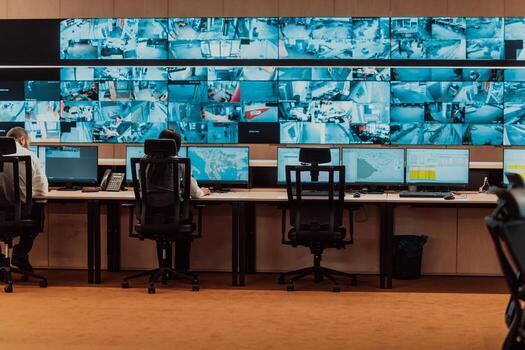
An office building without a proper security system is an open invitation. Tenant break-ins, after-hours theft, tailgating through lobby doors, unauthorized visitors roaming hallways — these are not hypothetical risks. They happen every week in New Jersey office buildings that rely on nothing more than a lock and a prayer.
The problem is worse than most property managers realize. A single tenant data breach caused by unauthorized physical access can trigger lawsuits, lease terminations, and insurance claims that dwarf the cost of any security system. And when tenants do not feel safe, they leave. Vacancy is the most expensive security failure of all.
At Security Dynamics Inc., we have been designing and installing office building security systems across New Jersey for 37 years. We hold NJ Burglar Alarm License #34BA00089500 and NJ Fire Alarm License #P00747, and we have secured everything from single-story professional offices in Hamilton to multi-floor Class A office towers in Princeton. This guide covers every component your office building needs, what it costs by building size, how to handle multi-tenant complexity, NJ code requirements, and the integration strategies that turn five separate systems into one unified security platform.
What Every Office Building Security System Needs
An office building is not a retail store or a warehouse. It has unique security challenges: multiple tenants sharing common spaces, staggered work schedules, visitor traffic throughout the day, sensitive areas like server rooms and executive suites, and a property manager who needs to balance security with tenant convenience. Here are the core components every office building needs, and why each one matters.
Access Control for Entrances, Floors, and Sensitive Areas
Access control is the backbone of office building security. It replaces traditional keys with electronic credentials — key fobs, keycards, smartphone-based access, or biometrics — and gives you a complete audit trail of who entered where and when. For an office building, access control needs to work at multiple layers:
Building Entrances
Every exterior door needs controlled access. Main entrances typically use a combination of credential readers and electric strikes or maglocks. During business hours, lobbies may be open to visitors (controlled by a receptionist or visitor management system), while after hours the doors lock down and require credentials. Side entrances, emergency exits, and parking garage doors need readers that restrict access to authorized tenants and staff only. Cost: $1,500-$3,500 per door for a commercial-grade reader, electric lock hardware, and installation.
Floor-Level Access
In multi-story buildings, elevator access control restricts which floors a tenant can reach. A law firm on the 4th floor should not have its clients wandering the 3rd floor where a medical practice stores patient records. Elevator credential readers assign floor permissions per tenant — a badge for Tenant A only calls floors 2 and 3, while Tenant B only reaches floor 4. Stairwell doors between floors also need readers to prevent vertical movement between tenant spaces. Cost: $2,000-$5,000 per elevator cab for credential reader integration, plus $1,500-$3,000 per stairwell door.
Server Rooms and Sensitive Areas
Server rooms, network closets, file storage rooms, and executive suites need the highest level of access control. These areas typically use higher-security credentials — biometric readers (fingerprint or facial recognition), dual-authentication (card plus PIN), or smartphone-based access with time restrictions. Server rooms should also have environmental monitoring (temperature, humidity, water leak detection) integrated with the access control system. Cost: $2,500-$6,000 per door for biometric or dual-auth readers with full audit logging.
What Access Control Actually Gives You
Beyond locking doors, a proper access control system provides:
- Complete audit trail: Know exactly who entered which door at what time — invaluable for investigating incidents and satisfying compliance requirements
- Instant credential revocation: When a tenant employee is terminated, disable their credential in seconds from any computer. No rekeying, no collecting keys, no wondering if they made copies.
- Schedule-based access: Cleaning crews get access only between 7 PM and 11 PM. Maintenance staff only during weekdays. Tenants get 24/7 access to their own floors but not others.
- Lockdown capability: In an emergency, lock every door in the building simultaneously with one command
- Integration with other systems: Access control triggers cameras to record, arms the alarm when the last person leaves, and disarms it when the first person arrives
Video Surveillance for Lobbies, Parking, and Elevators
Camera systems in office buildings serve three purposes: deterrence, real-time monitoring, and post-incident investigation. Where you place cameras matters more than how many you install. Here is where every office building needs coverage:
Lobby and Reception Areas
High-resolution cameras covering every entrance and the reception desk. These cameras capture every person who enters the building and are the first evidence source for any incident. Position cameras to capture faces, not the tops of heads — mounting height and angle matter. Lobby cameras should record at minimum 1080p resolution to produce identifiable facial images. Recommended: 2-4 cameras per lobby depending on size and layout.
Parking Areas
Parking garages and surface lots are the highest-risk zone for vehicle break-ins, vandalism, and personal safety incidents. Camera coverage should include every entry/exit lane (with license plate capture capability), every level of a parking structure, stairwells, and elevator lobbies. Parking cameras need low-light capability — many parking areas have poor lighting. Recommended: 1 camera per 8-12 parking spaces for garages, plus dedicated cameras at entry/exit points.
Elevators
Every elevator cab needs a camera. Elevators are enclosed spaces where incidents happen with no witnesses. Elevator cameras must handle wide-angle coverage in a small space, operate in varying light conditions (doors open and close), and connect back to the building system via a traveling cable. Cost: $500-$1,200 per elevator for camera and cabling.
Hallways and Common Areas
Corridor cameras on every floor cover the paths between elevators, stairwells, and tenant suites. These cameras track movement through the building and, combined with access control logs, create a complete picture of who went where. Common areas like mailrooms, break rooms, loading docks, and utility rooms also need coverage. Recommended: 2-6 cameras per floor depending on layout.
Building Exterior
Perimeter cameras covering every building face, loading dock, dumpster area, and mechanical yard. Exterior cameras need weather-resistant housings (IP66 or IP67 rated), IR illumination for nighttime visibility, and vandal-resistant mounting. Recommended: 4-8 cameras for a small building, 12-24 for a mid-size building, 30+ for a large complex.
Camera System Architecture
Office building camera systems should use IP cameras on a dedicated network VLAN (separate from tenant data networks for security) recording to a network video recorder (NVR) in a secured equipment room. Minimum retention is 30 days — many property managers keep 60-90 days, and some tenants (legal, financial services) may contractually require longer retention. Cloud backup for critical cameras (lobby, entries) adds redundancy.
Intrusion Detection After Hours
When the building empties at night, the intrusion detection system takes over. This is the alarm system — sensors that detect unauthorized entry and trigger an immediate response through the monitoring center. For office buildings, intrusion detection requires careful zone planning:
Perimeter Protection
Door contacts on every exterior door, loading dock door, and roof access hatch. Glass break detectors covering ground-floor and accessible windows. These sensors detect the initial point of entry.
Interior Zones
Motion sensors in lobbies, hallways, common areas, and individual tenant suites (if tenants opt in). Interior zones catch anyone who bypasses perimeter sensors or hides inside the building before closing. Each tenant suite should be a separate alarm zone so one tenant working late does not prevent the rest of the building from being armed.
High-Security Zones
Server rooms, equipment rooms, and any area containing high-value assets should have their own alarm zones that remain armed 24/7, independent of the building schedule. These zones only disarm when an authorized person presents credentials at the access control reader, and they re-arm automatically when the person exits.
Zone Architecture Matters
The difference between a well-designed office building alarm and a poorly designed one is zone architecture. A system with three zones (lobby, offices, perimeter) is nearly useless — if one tenant disarms the offices, the entire building is exposed. A properly designed system has independent zones for every tenant suite, every common area, every sensitive room, and the perimeter. This allows partial arming: Tenant A is still working at 9 PM while Tenant B's suite, the lobby, and the common areas are fully armed. Cost: Zone count drives the panel selection — budget $3,000-$8,000 for the panel and sensors in a small building, $8,000-$25,000 for mid-size, $25,000-$75,000+ for large multi-tenant buildings.
Visitor Management
Every person who enters an office building should be accountable. Visitor management systems replace the paper sign-in log with a digital system that pre-registers visitors, verifies identity, issues temporary credentials, notifies the host, and maintains a searchable visitor log. Here is what a modern system looks like:
- Pre-registration: Tenants register expected visitors through a web portal or app. The visitor receives a QR code or access link via email.
- Lobby check-in: A tablet-based kiosk in the lobby scans the visitor's QR code or ID, takes a photo, prints a temporary badge with the visitor's name and destination, and sends a notification to the host tenant.
- Temporary access credentials: The visitor badge includes a temporary access credential that only works for the host tenant's floor, only during the visit window, and automatically expires.
- Host notification: The tenant employee receives a text or app notification that their visitor has arrived and checked in.
- Visitor log: A digital record of every visitor — who they visited, when they arrived, when they left, and a photo — searchable and exportable for compliance or investigations.
- Watchlist screening: Some systems check visitor IDs against internal watchlists (terminated employees, banned individuals) and alert security if there is a match.
Cost: Visitor management systems range from $2,000-$5,000 for a single-lobby kiosk setup to $10,000-$30,000 for multi-entrance systems with access control integration. Monthly software subscriptions run $100-$500 depending on features and visitor volume.
Intercom and Buzzer Systems
Intercoms connect visitors at the door with tenants inside the building. Modern intercom systems go far beyond the old buzzer-and-voice box:
Video Intercoms
A camera at the entry point shows the visitor on a screen at the tenant's desk, on their smartphone, or at the security desk. The tenant can see who is requesting access and either grant or deny entry remotely. Video intercoms at the main entrance, side entrances, and parking garage pedestrian doors eliminate the need for tenants to physically go to the door. Cost: $1,500-$4,000 per entrance for a commercial video intercom station.
Multi-Tenant Directory
A digital directory at the main entrance lets visitors search for and call the tenant they are visiting. The tenant answers on their desk phone, mobile phone, or intercom handset and can release the door remotely. Directories can display tenant names and suite numbers, or just suite numbers for privacy-sensitive tenants. Cost: $3,000-$8,000 for a commercial multi-tenant directory intercom with building-wide integration.
Integration with Access Control
When a tenant grants access via the intercom, the door unlocks for a timed period (typically 5-10 seconds) and the event is logged in the access control system. The camera at the intercom records who entered. This creates an integrated chain: visitor calls tenant via intercom, tenant verifies on video, tenant grants access, door unlocks, camera records entry, access control logs the event.
Emergency Notification Systems
Office buildings need a way to communicate with every occupant during an emergency — active threats, fires, severe weather, or building evacuations. Emergency notification systems include:
- Mass notification speakers: Ceiling-mounted speakers in every common area and tenant suite that deliver voice announcements and tones during emergencies. These may be integrated with or separate from the fire alarm speakers depending on the system design and code requirements.
- Visual notification: Strobe lights and digital displays that communicate emergency information to hearing-impaired occupants and noisy environments. Required by ADA and NJ building code.
- Text/app alerts: SMS or push notifications sent to every registered occupant's phone simultaneously. Faster than speaker announcements for some scenarios and reaches people who have left the building.
- Lockdown integration: When a lockdown is initiated, the access control system locks all doors, the notification system announces the lockdown, and cameras begin recording at higher frame rates in affected zones.
- Two-way communication: Intercoms or phones in stairwells and safe rooms that allow trapped or sheltering occupants to communicate with security or emergency responders.
Cost: $5,000-$15,000 for a small building, $15,000-$50,000 for a mid-size building, $50,000-$150,000+ for a large multi-floor complex. Emergency notification systems may overlap with fire alarm system requirements, potentially reducing cost if designed together.
Office Building Security System Cost by Building Size
The total cost of an office building security system depends on building size, number of tenants, number of access points, camera count, and the level of integration. Here are realistic cost ranges based on our experience installing systems across New Jersey:
| Building Size | Typical Profile | Estimated Cost Range |
|---|---|---|
| Small Office (2,000-5,000 sq ft) | 1-3 tenants, single floor, 2-4 exterior doors, small parking lot | $5,000-$15,000 |
| Mid-Size Office (5,000-25,000 sq ft) | 4-12 tenants, 2-4 floors, lobby with reception, parking garage, elevator access | $15,000-$50,000 |
| Large Office Building (25,000-100,000+ sq ft) | 12-50+ tenants, 5-15 floors, multiple lobbies, structured parking, security desk, visitor management | $50,000-$200,000+ |
What Drives Cost Up
- Number of access-controlled doors: Each door with a reader, lock hardware, and wiring adds $1,500-$4,000 to the project
- Camera count: Each IP camera installed with cabling, mounting, and licensing costs $400-$1,500
- Elevator integration: Tying access control into elevator systems requires coordination with the elevator company and costs $2,000-$5,000 per cab
- Construction type: Running cable through concrete, steel, and fire-rated walls costs more than standard drywall construction
- Existing infrastructure: Buildings with existing conduit, structured cabling, or previous security wiring cost less than buildings with nothing in place
- Integration depth: A fully integrated system (access + cameras + alarm + visitor management on one platform) costs more upfront but less to operate long-term
What Drives Cost Down
- Phased installation: Install access control and cameras first, add visitor management and emergency notification in Phase 2
- Reusing existing infrastructure: If the building has previous security wiring, conduit, or equipment, significant savings are possible
- Cloud-managed platforms: Reduce on-premise server hardware costs (though they add monthly subscription fees)
- Wireless components where appropriate: Wireless locks on interior doors and wireless cameras in areas difficult to cable can reduce installation labor
Monthly Operating Costs
| Service | Monthly Cost | What Is Included |
|---|---|---|
| Alarm Monitoring | $50-$150/month | 24/7 central station monitoring, police/fire dispatch, system health supervision |
| Cloud Access Control | $5-$15/door/month | Cloud credential management, remote administration, mobile access, software updates |
| Video Storage (Cloud) | $10-$30/camera/month | Cloud recording, remote viewing, AI-based search (person detection, license plate search) |
| Visitor Management Software | $100-$500/month | Pre-registration portal, check-in kiosk, badge printing, host notifications, visitor logs |
| Preventive Maintenance | $100-$500/month | Quarterly inspections, firmware updates, sensor testing, battery replacement, priority service calls |
For a mid-size office building with 20 access-controlled doors, 30 cameras, alarm monitoring, and visitor management, expect monthly operating costs of $700-$1,500. This is a building operating expense that is typically passed through to tenants as part of CAM (common area maintenance) charges.
Multi-Tenant Security Considerations
Multi-tenant office buildings have a unique security challenge: the property manager needs building-wide security while each tenant needs private, independent security for their own space. Getting this right requires clear boundaries and a well-designed system architecture.
Common Area vs. Tenant Space
The property manager is responsible for securing common areas — lobbies, hallways, stairwells, elevators, parking, loading docks, utility rooms, and the building exterior. This is building security, and it protects the property and all tenants equally.
Each tenant is responsible for securing their own suite. A law firm needs different security than a marketing agency. Some tenants want biometric access to their server room. Others just need a basic card reader on their front door. The building security system should accommodate tenant-level security without requiring tenants to install completely separate systems.
How to Structure Multi-Tenant Security
| Aspect | Property Manager Responsibility | Tenant Responsibility |
|---|---|---|
| Access Control | Building entrances, elevators, stairwells, parking, common areas | Suite entry doors, internal secure rooms (server, files) |
| Cameras | Lobbies, hallways, parking, elevators, exterior, loading dock | Inside their suite (if desired — some tenants add their own) |
| Alarm/Intrusion | Building perimeter zones, common area zones | Suite-level alarm zone (independent arm/disarm per tenant) |
| Visitor Management | Lobby kiosk, building-wide system, temporary credentials | Pre-registering their own visitors through the system |
| Emergency Notification | Building-wide speakers, strobes, mass notification | Ensuring employees are registered to receive alerts |
| Cost | Building security costs included in CAM charges | Tenant-specific upgrades (biometric readers, internal cameras) at tenant expense |
Who Pays for What
This is the question every property manager and tenant asks. The industry standard approach:
- Building infrastructure (CAM cost): Lobby cameras, hallway cameras, parking cameras, building access control, elevator access, perimeter alarm, visitor management, intercom, emergency notification. These are building amenities that benefit all tenants equally and are funded through CAM charges, typically $0.50-$2.00 per rentable square foot annually.
- Tenant-specific security (tenant cost): Card reader on suite door (often provided at one per suite by the building), additional suite readers, biometric upgrades, suite-level alarm zone, internal cameras, dedicated server room environmental monitoring. Tenants either pay directly or these costs are included in a TI (tenant improvement) allowance.
- Shared benefit upgrades: Some upgrades benefit both the building and tenants — like adding cameras to a floor that previously had none. These are negotiable and typically split or covered by the building as a capital improvement.
Credential Management for Multi-Tenant Buildings
Managing credentials across multiple tenants requires a system with role-based access control:
- Building admin: The property manager has master access to all common areas and the ability to add/remove tenants in the system, but cannot access individual tenant suites without the tenant's permission.
- Tenant admin: Each tenant has a designated administrator who manages their own employees' credentials, access levels, and schedules. The tenant admin can only manage their own tenant — they cannot see or modify other tenants' data.
- Individual users: Each employee gets a unique credential with access only to their tenant's space plus the common areas needed to reach it (lobby, elevator to their floor, hallway to their suite).
- Temporary/contractor: Short-lived credentials with expiration dates and restricted access — essential for cleaning crews, maintenance workers, and construction contractors.
NJ Requirements for Office Building Security
New Jersey has specific code requirements that affect office building security system design. Ignoring these during design leads to expensive rework later. Here are the key requirements:
NJ Fire Code (NJAC 5:70)
- Fire alarm systems: Office buildings over a certain size or occupancy classification require fire alarm systems with automatic detection, manual pull stations, and notification appliances. The fire alarm system must be designed and installed by a licensed fire alarm contractor (Security Dynamics holds NJ Fire Alarm License #P00747).
- Door release on fire alarm: Any magnetically locked door in the path of egress must release immediately when the fire alarm activates. This is non-negotiable — it is a life safety requirement. The access control system must integrate with the fire alarm system so that every maglock-secured egress door opens when fire alarm conditions exist.
- Elevator recall: During a fire alarm, elevators must automatically return to the designated recall floor (typically the lobby) and open their doors. Elevator access control must not interfere with fire alarm recall operation.
- Stairwell pressurization: In buildings with stairwell pressurization systems, door hardware must be compatible with stairwell pressure differentials. This affects the type of locking hardware that can be used on stairwell doors.
ADA Compliance
- Accessible entry: At least one building entrance must be accessible to people with disabilities, including wheelchair users. Access control hardware at accessible entrances must be mounted at ADA-compliant heights (typically 34-48 inches above the floor) and operable with one hand without tight grasping or twisting.
- Automatic door operators: ADA-accessible entrances with access control typically need automatic door operators that open the door when a valid credential is presented, without requiring the person to pull or push the door.
- Visual and auditory notification: Emergency notification systems must include both audible alerts (speakers) and visual alerts (strobes) to accommodate hearing-impaired occupants. Strobe placement and intensity must meet ADA and NJ fire code requirements.
- Intercom accessibility: Video intercom stations must be mounted at accessible heights with controls operable by people with limited mobility.
NJ Building Code
- Egress requirements: No security device can prevent free egress from the building. Every exit door must have a request-to-exit (REX) device — a motion sensor or push bar — that unlocks the door from the inside without a credential. This applies to every locked door in the path of egress, no exceptions.
- Emergency power: Access control systems on egress doors must have battery backup or be configured to fail-safe (unlock) on power loss. Fire alarm systems require secondary power per NFPA 72. The security system design must account for both requirements.
- Delayed egress: Some high-security applications (hospitals, memory care, behavioral health) may use delayed egress locks that hold for 15 or 30 seconds before releasing. These are only permitted where specifically allowed by code and require fire alarm integration, signage, and local AHJ approval. Standard office buildings typically do not use delayed egress.
- Permit requirements: Many NJ municipalities require alarm permits, and larger security system installations may require electrical permits. Fire alarm systems require permits and inspections by the local fire marshal. Security Dynamics handles all permitting and inspection coordination as part of the project.
System Integration: Turning Five Systems Into One
The biggest mistake in office building security is installing five separate systems — access control, cameras, alarm, visitor management, and intercom — that do not talk to each other. When systems are siloed, your security guard has five different screens, five different logins, five different alert feeds, and no way to correlate events across systems.
An integrated security platform unifies everything into a single management interface where events from any system are correlated automatically:
How Integration Works in Practice
Scenario 1 — After-hours intrusion:
- Motion sensor in a 3rd floor suite triggers an alarm (intrusion detection system)
- The nearest cameras automatically begin recording at high frame rate and the live feed pops up on the security display (camera system)
- The monitoring center receives the alarm and sees the video feed (alarm monitoring)
- The access control system shows no valid credential was used to enter — this is unauthorized access (access control)
- All stairwell and elevator doors on the 3rd floor lock down (access control + integration logic)
- The monitoring center dispatches police with a description of the intruder from the live camera feed
Without integration, the motion sensor triggers, the monitoring center calls your contact list to ask if anyone is supposed to be there, and by the time police arrive the intruder is gone. With integration, the response includes visual verification and containment — a completely different outcome.
Scenario 2 — Tenant move-out:
- Property manager updates tenant status in the system (one action)
- All credentials for that tenant's employees are deactivated (access control)
- Elevator access to that tenant's floor is removed (elevator integration)
- The alarm zone for the vacant suite is armed 24/7 (intrusion detection)
- The intercom directory removes the tenant listing (intercom/directory)
- The visitor management system stops accepting pre-registrations for that tenant
Without integration, the property manager has to log into five separate systems and make five separate changes. With a properly integrated platform, it is one action with cascading effects.
Integration Platforms
Several manufacturers offer unified platforms designed for multi-tenant office buildings. Security Dynamics works with the leading commercial platforms and selects the right one based on building size, tenant count, and required features. Key factors in platform selection:
- Open architecture: Can the platform integrate with third-party devices and systems, or does it lock you into one manufacturer for everything?
- Scalability: Can the platform grow as the building adds tenants, cameras, and access points without a complete system replacement?
- Multi-tenant partitioning: Does the platform support true multi-tenant separation where each tenant admin manages their own space without seeing other tenants?
- API availability: Can the platform integrate with building management systems (HVAC, lighting) and property management software?
- Mobile management: Can the property manager and tenants administer the system from smartphones and tablets?
Cloud vs. On-Premise for Office Buildings
This is one of the most important architectural decisions in office building security, and it affects cost, management, and long-term flexibility. Here is how the two models compare:
| Factor | Cloud-Managed | On-Premise |
|---|---|---|
| Upfront cost | Lower — no on-site server hardware needed | Higher — requires server hardware, rack space, UPS, and IT setup |
| Monthly cost | Higher — per-door and per-camera subscription fees | Lower — no recurring software fees after initial license purchase |
| Remote management | Full remote management from any browser or app — ideal for property managers with multiple buildings | Requires VPN or port forwarding for remote access (less convenient, more IT overhead) |
| Updates and patches | Automatic — the vendor pushes updates to all devices | Manual — requires on-site IT or a service call to update firmware and software |
| Internet dependency | Some functions require internet. Good systems cache credentials locally so doors still work if internet drops. | Fully independent of internet — everything runs on the local network |
| Data control | Data stored on vendor's cloud servers — check data residency and compliance | All data stays on-site — full control, full responsibility |
| Multi-site management | Excellent — manage multiple buildings from one dashboard | Each building is a separate system unless you build custom integration |
| Vendor lock-in | Higher — switching vendors may require replacing hardware | Lower with open-architecture systems — hardware stays, software can change |
| Best for | Property managers with multiple buildings, no on-site IT, wanting ease of management | Single large buildings with IT staff, strict data residency requirements, or tenants demanding on-premise data |
Our recommendation: For most NJ office buildings under 50,000 square feet, cloud-managed security is the right choice. The ease of management, automatic updates, and remote access save property managers more time and money than the subscription fees cost. For larger buildings with dedicated security staff and IT infrastructure, on-premise systems offer more control and lower long-term cost. For the best of both worlds, hybrid systems — on-premise hardware with cloud management and backup — are increasingly popular and give you local reliability with cloud convenience.
Common Office Building Security Mistakes
After 37 years of installing office building security systems across New Jersey, we see the same mistakes repeated. Here are the ones that cost the most money and create the most risk:
1. Relying on Keys Instead of Access Control
Keys are the worst security technology ever invented for multi-tenant buildings. They cannot be audited (you never know who has copies), they cannot be revoked without rekeying, they cannot be scheduled, and they get shared freely. Every time a tenant employee leaves and does not return their key, your building security is permanently degraded. The cost of rekeying a building after a lost master key — $5,000-$20,000 — exceeds the cost of installing access control in the first place.
2. Installing Cameras Without Proper Lighting
A camera in a dark parking garage produces useless footage — dark frames with vague shapes that cannot identify anyone. Before installing cameras, audit the lighting. Every camera location needs sufficient illumination for the camera's sensor to produce identifiable images. This may require adding LED security lighting in parking areas, stairwells, and building exteriors. The lighting upgrade is part of the security investment, not separate from it.
3. Not Planning for Tenant Turnover
A security system designed for today's tenants breaks down when tenants change. If Tenant A's alarm zone is hardwired into Tenant B's suite because they used to be one space, splitting them later requires expensive rewiring. Design the system with future flexibility: independent zones per suite, modular access control, and a platform that supports adding and removing tenants without technician visits.
4. Ignoring After-Hours Access Patterns
The building is not empty at 6 PM. Lawyers work until midnight. Cleaning crews arrive at 7 PM. Maintenance schedules HVAC work for weekends. IT contractors come on Saturdays. A security system that only handles 9-to-5 operations and treats everything else as an intrusion will generate constant false alarms and frustrate every tenant. Map your actual access patterns — including after-hours traffic — and design the system around them.
5. Separate Systems That Do Not Communicate
Five separate systems from five separate vendors means five separate points of failure with no coordination between them. When the alarm triggers, someone has to manually switch to the camera system and search for the right camera. When a tenant moves out, someone has to log into five systems and remove access from each one. Insist on integration or, at minimum, a platform that can serve as a single pane of glass across all systems.
6. Skipping the Emergency Plan
A security system without an emergency response plan is expensive hardware that nobody knows how to use during a crisis. Document and train: Who gets notified? What doors lock? Which cameras feed to first responders? Where are the safe areas? How does the building communicate with occupants? The technology is only as good as the people and procedures behind it.
7. Choosing Consumer-Grade Equipment
Consumer cameras from big-box stores, residential-grade smart locks, and DIY alarm systems are designed for homes, not multi-tenant office buildings. They lack the multi-user management, zone complexity, integration capability, durability, and compliance features that commercial buildings require. The upfront savings disappear quickly when the equipment fails, cannot scale, and does not meet code requirements.
Security Dynamics Office Building Security Services
Security Dynamics Inc. has been designing and installing integrated security systems for NJ office buildings since 1989. Here is what we bring to every project:
Complete System Design
We design office building security systems from the ground up — access control, video surveillance, intrusion detection, visitor management, intercom, and emergency notification — as one integrated platform. Every project starts with a comprehensive site survey where we assess the building's physical layout, understand the tenant mix, map access patterns, and identify vulnerabilities. The result is a custom security design that addresses your specific building's needs, not a generic equipment list.
Multi-Tenant Expertise
We understand the unique challenges of multi-tenant office buildings: independent tenant zones, credential partitioning, CAM cost allocation, tenant turnover management, and the balance between security and tenant convenience. We design systems that property managers can administer efficiently and tenants can use without frustration.
Full Licensing and Compliance
We hold NJ Burglar Alarm License #34BA00089500 and NJ Fire Alarm License #P00747. We handle all NJ permitting, inspections, and code compliance coordination. Our systems are designed to meet NJ fire code, ADA, and building code requirements from the start — not as expensive afterthoughts.
Integration Specialists
Because we install all five major security systems (access control, cameras, alarm, fire, and intercom), we can build a truly integrated platform where everything works together under one management interface. We coordinate with elevator companies, HVAC contractors, and IT providers to ensure seamless integration across all building systems.
Ongoing Support and Service
We do not disappear after installation. We offer preventive maintenance contracts, 24/7 emergency service, tenant onboarding assistance, system training for property management staff, and ongoing consultation as your building's needs evolve. We are based in Trenton, NJ, and service office buildings throughout Central and Southern New Jersey.
Free Security Assessment
Not sure what your office building needs? We provide free on-site security assessments for commercial properties throughout New Jersey. We will walk your building, discuss your concerns, evaluate your current systems (if any), and provide a written recommendation with transparent pricing — no obligation, no pressure. Call (609) 394-8800 or email us to schedule.
Frequently Asked Questions
How long does it take to install a security system in an office building?
A small office building (2,000-5,000 sq ft) typically takes 3-5 days. A mid-size building (5,000-25,000 sq ft) takes 1-3 weeks. A large building (25,000+ sq ft) takes 3-8 weeks depending on the scope. We phase installation to minimize disruption — common areas first, then tenant spaces. We coordinate with tenants on scheduling and can perform work after hours or on weekends.
Can you integrate with our existing security equipment?
In many cases, yes. If your building has existing cameras, access control readers, or alarm sensors, we evaluate whether they can be integrated into a modern platform or whether they need replacement. Older analog cameras can often be replaced incrementally while keeping newer equipment. Existing door wiring and conduit almost always reduces installation cost even if the devices themselves need upgrading.
What happens if the internet goes down?
Properly designed cloud-managed systems cache credentials locally on each door controller, so doors continue to lock and unlock based on stored credentials even during an internet outage. Cameras continue recording to local NVR storage. The alarm system communicates with the monitoring center over cellular backup. When internet service restores, everything syncs automatically. The building never goes unprotected.
How do you handle tenant turnover?
When a tenant moves out, we deactivate all credentials, re-arm the suite as a 24/7 alarm zone, update the intercom directory, and reconfigure elevator access — all within the same day. When a new tenant moves in, we configure their zone, issue credentials, set up their admin access in the system, and train their designated staff. This is part of our ongoing building service — not a separate project each time.
Can tenants install their own security inside their suite?
Yes, but we recommend integrating tenant security with the building system rather than installing completely separate equipment. A tenant who installs their own standalone alarm creates a silo that does not communicate with building security. We can add suite-level access control, cameras, and alarm zones that the tenant administers independently while still feeding into the building-wide platform. This gives tenants their own control while maintaining property manager visibility.
Is cloud-based access control secure?
Modern cloud access control platforms use bank-level encryption (AES-256 for data at rest, TLS 1.3 for data in transit), multi-factor authentication for administrators, SOC 2 Type II certified data centers, and regular third-party security audits. The credential data stored in the cloud is encrypted and would be useless even if accessed by an unauthorized party. In practice, cloud platforms are often more secure than on-premise systems because they receive automatic security patches — while on-premise systems frequently run outdated firmware that nobody remembers to update.
What about cybersecurity for the camera and access control network?
Security devices should run on a dedicated VLAN (virtual network segment) separated from tenant data networks. This prevents a compromised camera or door controller from being used as an entry point into the building's data network. We configure network segmentation, change all default passwords, enable encrypted communications, and disable unnecessary network services on every device. Cybersecurity is part of the physical security installation, not an afterthought.
Do NJ office buildings need fire alarm integration with access control?
Yes. NJ fire code requires that magnetically locked doors in the path of egress release immediately when the fire alarm activates. This integration is non-negotiable — without it, the building fails fire inspection and people could be trapped behind locked doors during a fire. We design this integration from the start so the access control and fire alarm systems work together seamlessly.
How do you handle parking garage security?
Parking garage security combines credential-controlled vehicle gates (card readers or license plate recognition at entry/exit), pedestrian access control on stairwell and elevator doors, camera coverage at every level, emergency call stations on each floor, and adequate lighting. For high-security buildings, we add license plate capture cameras that log every vehicle entering and exiting, creating a searchable database. Parking is typically the highest-risk area of an office building — it deserves dedicated security attention.
What is the ROI of an office building security system?
The ROI comes from multiple sources: reduced liability exposure (a secured building is a defended building in litigation), lower insurance premiums (5-20% reduction with monitored systems and documented security procedures), reduced theft and vandalism losses, higher tenant retention (tenants stay longer in buildings where they feel safe), higher rental rates (secured buildings command premium rents — typically $1-$3 per square foot more than unsecured comparable properties), and reduced turnover costs (replacing a tenant costs 6-12 months of rent in vacancy, concessions, and improvements). For a 50,000 sq ft building, even a modest $1/sq ft rent premium generates $50,000/year — exceeding the annual cost of the security system.
Next Steps
Office building security is not optional — it is infrastructure. Tenants expect it, insurers require it, codes mandate it, and the liability exposure without it is enormous. The right system protects your tenants, protects your property, and adds measurable value to the building.
Whether you are building new and need a security system designed from scratch, upgrading an aging system that is not keeping up with modern threats, adding security to attract higher-quality tenants, or managing a multi-tenant property that has outgrown its current setup, Security Dynamics Inc. has the experience and the expertise to get it done right.
Get a free security assessment: Call (609) 394-8800 or email sdynamicsnj@gmail.com. We will visit your office building, assess your current security posture, evaluate the building's vulnerabilities, and provide a comprehensive recommendation with transparent pricing — no obligation, no high-pressure sales tactics. Just a licensed NJ security professional who has been protecting commercial properties for 37 years telling you exactly what your building needs.