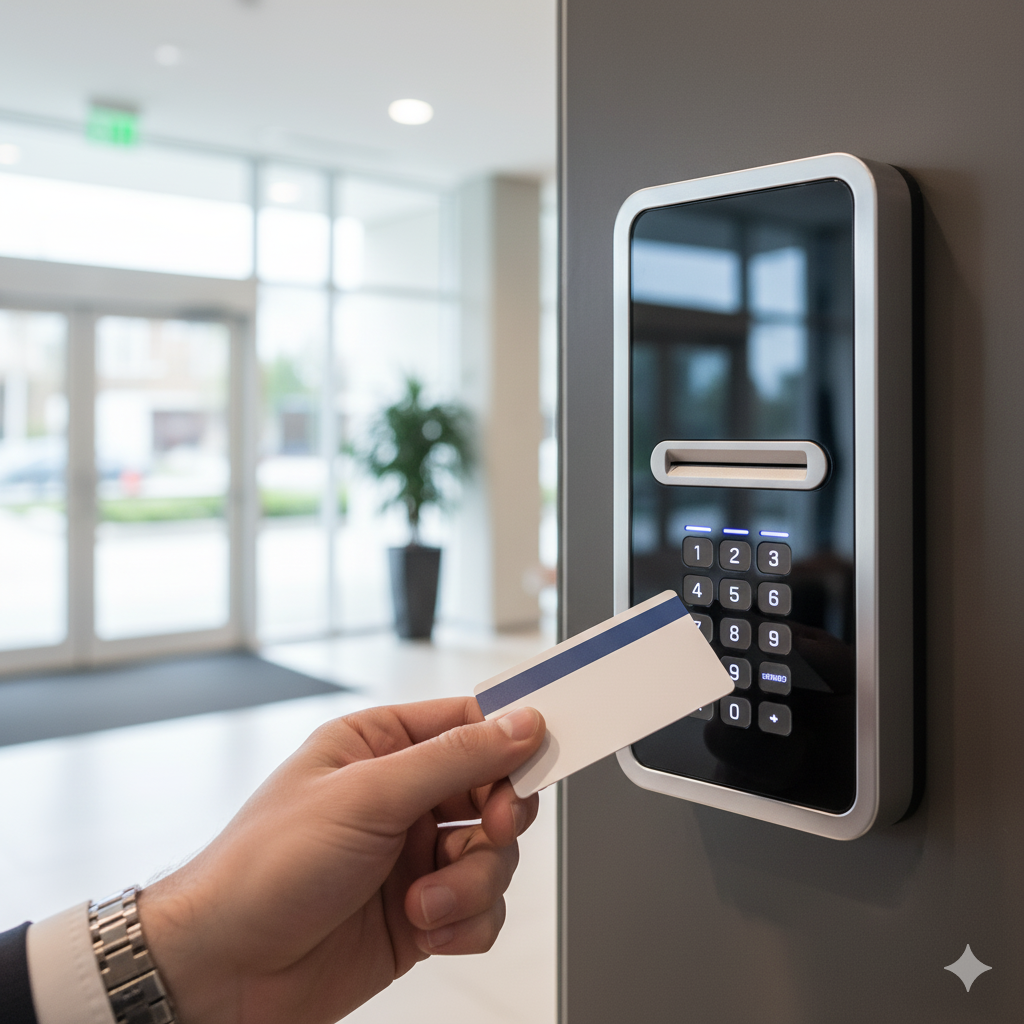
A cloud-based access control system manages every door in your building from software hosted in a secure data center instead of a server in your closet. You add or remove users, set schedules, pull audit logs, and lock down the building from a phone app — from anywhere. For most New Jersey businesses in 2026, a professionally installed cloud system runs $500-$2,000 per door in hardware, $300-$800 per door to install, and $5-$20 per door per month for the cloud software. This guide breaks down exactly how these systems work, what drives the cost, NJ licensing and fire-code rules, and which businesses benefit most.
| Cost Factor | Typical Range (per door) | What Drives It |
|---|---|---|
| Hardware | $500-$2,000 | Controller, reader, lock type, credential type |
| Installation | $300-$800 | Building construction, cable run, door prep |
| Cloud subscription | $5-$20 / month | Software tier, analytics, visitor management |
| Biometric reader (optional) | $1,500-$4,000 | Fingerprint or facial recognition at high-security doors |
At Security Dynamics Inc., we have been installing commercial access control systems across New Jersey since 1989. Over the last five years, cloud access control has become the single most-requested upgrade from our business clients — and the data backs that up. Hosted, cloud-delivered access control captured 51.6% of access control deployments in 2025, driven by businesses that prefer a predictable monthly subscription over owning and maintaining a server (Mordor Intelligence). The broader access-control-as-a-service market is projected to reach $10.29 billion by 2032, growing at a 22.59% annual rate (SNS Insider).
If you have ever driven 45 minutes back to the office just to let a contractor in, you already understand the problem traditional access control creates. Cloud-based access control eliminates that problem entirely — you manage every lock, every credential, and every schedule from your phone, whether you are in Trenton, on vacation, or sitting in traffic on Route 1.
What Is Cloud-Based Access Control?
Cloud-based access control is a door security system where the management software lives on a remote server (the “cloud”) instead of a physical computer in your building. Think of it the same way you think about Gmail versus a desktop email program — the software runs on the internet, not on a box in your server closet.
How It Differs from Traditional On-Premise Systems
Traditional access control requires a dedicated server on your property. That server stores every credential, runs the software, processes every door event, and needs regular maintenance. If the server crashes, you lose management capability. If you want to check the access log at midnight, you need to VPN into that server or drive to the building.
Cloud-based access control removes the server entirely. Here is what changes:
- No on-site server: The management software runs in a secure data center maintained by the access control manufacturer. You never touch it.
- Manage from anywhere: Open an app on your phone or a browser on any computer. Lock a door, add a user, pull a report — from wherever you are.
- Automatic updates: The manufacturer pushes software updates, security patches, and new features automatically. You are always on the latest version without lifting a finger.
- No IT infrastructure needed: You do not need a dedicated server, backup systems, or IT staff to maintain the access control software. The manufacturer handles all of that.
- Subscription pricing: Instead of a large upfront software license, you pay a monthly or annual fee per door. This shifts the cost from capital expense to operating expense.
How Cloud Access Control Works
Understanding the architecture helps you evaluate products and ask better questions during the buying process. Every cloud access control system has four core components:
1. The Cloud Server
This is where the brains live. The cloud server stores your credentials database, access schedules, door configurations, and event logs. When you open the app and tap “unlock,” your command goes to the cloud server, which sends the unlock signal down to the door. Major manufacturers use enterprise-grade data centers (AWS, Azure, Google Cloud) with redundancy across multiple locations.
2. The Door Controller
Installed at or near each door, the controller is the physical hardware that connects your lock to the internet. It communicates with the cloud server over your building’s network (wired Ethernet or Wi-Fi). Critically, modern controllers store a local copy of the credential database so doors keep working even if your internet drops.
3. The Credential Reader
This is what the user interacts with — the device mounted on the wall next to the door. It reads whatever credential type you choose: key card, fob, smartphone, fingerprint, PIN, or a combination. The reader sends the credential to the controller, the controller checks it against the local database, and the door unlocks if authorized.
4. The Mobile App and Web Dashboard
This is your management interface. From the app or dashboard, you can:
- Add and remove users instantly
- Set access schedules (e.g., cleaning crew gets access only Tuesday and Thursday, 6 PM to 10 PM)
- Lock or unlock any door remotely
- View real-time access logs
- Receive instant alerts (unauthorized attempt, door held open, forced entry)
- Generate compliance and audit reports
- Manage multiple buildings from a single interface
Benefits for NJ Businesses
New Jersey businesses face specific challenges that cloud access control addresses directly. Here is why our commercial clients are switching:
Remote Management
New Jersey business owners often manage multiple locations spread across Mercer County, Ocean County, or into Bucks County, PA. Cloud access control means you manage every door across every location from one app. No more driving between sites to update a key card. No more calling your office manager to let someone in. If a property manager in Hamilton needs to grant a vendor temporary access to a warehouse in Ewing, it takes 30 seconds from their phone.
Real-Time Alerts
Get instant push notifications on your phone when something unusual happens: a door forced open, an access attempt after hours, a door propped open for too long. Traditional systems log these events, but you only see them when you sit down at the server and pull reports. Cloud systems push the alert to you the moment it happens.
Easy Scaling
Opening a second office? Adding a warehouse? Cloud access control scales effortlessly. You add new doors to the same dashboard — no new server, no new software license, no additional IT complexity. This matters enormously for growing NJ businesses that do not want to rip and replace their security system every time they expand.
No IT Infrastructure Required
Small and mid-size NJ businesses rarely have dedicated IT departments. Cloud access control eliminates the need for one. There is no server to maintain, no database to back up, no software to update. You need an internet connection and a smartphone. That is it.
Audit Trails and Compliance
Every access event is logged automatically with a timestamp, user identity, door location, and result (granted or denied). These records are stored securely in the cloud and cannot be tampered with locally. This matters for NJ businesses subject to compliance requirements — healthcare facilities under HIPAA, financial services under SOX, or any business needing to demonstrate chain-of-custody for insurance or legal purposes. Compliance is now a board-level concern: 73% of security leaders ranked identity management as their top priority in 2026, the highest-rated category in HID's annual study (HID Global).
Integration with Cameras and Alarms
Modern cloud platforms integrate with video surveillance and intrusion alarm systems. When a door opens, the nearest camera starts recording. When the alarm triggers, all doors lock down automatically. This unified approach eliminates the blind spots that separate, disconnected systems create.
Cloud vs. On-Premise Access Control: Side-by-Side Comparison
| Factor | Cloud-Based | On-Premise |
|---|---|---|
| Upfront Cost | Lower — no server hardware or software license | Higher — server, license, and IT setup required |
| Ongoing Cost | $5-$20/door/month subscription | Annual maintenance + IT labor + server replacement every 5-7 years |
| Management | Anywhere — phone, tablet, or browser | On-site or via VPN |
| Scalability | Add doors and locations instantly | May require server upgrade or additional licenses |
| Reliability | 99.9%+ uptime with offline failover at door | Depends on local server health and power |
| Cybersecurity | End-to-end encryption, managed by manufacturer security team | Your IT team’s responsibility to patch and secure |
| Software Updates | Automatic — always current | Manual — often skipped or delayed |
| Multi-Site | Single dashboard for all locations | Each site typically has its own server |
| Best For | Growing businesses, multi-site, remote management | High-security government or air-gapped facilities |
Bottom line: On-premise still makes sense for facilities that legally cannot allow data to leave the building (certain government or military sites). For the vast majority of NJ commercial businesses — offices, warehouses, retail, healthcare, manufacturing — cloud-based is the smarter choice in 2026.
Credential Types: What Cloud Systems Support
One of the biggest advantages of cloud-based access control is flexibility in how people authenticate at the door. Here are the credential types available and when each makes sense:
Key Cards (Proximity Cards and Smart Cards)
The workhorse of commercial access control. Employees tap or wave a card at the reader. Proximity cards use older 125kHz technology — functional but cloneable. Smart cards (like SEOS or DESFire) use encrypted communication that is virtually impossible to clone. Cost: $2-$8 per card. Best for: offices, healthcare facilities, any business with moderate security needs.
Key Fobs
Same technology as key cards but in a smaller form factor that clips to a keyring. Popular with employees who do not want to carry another card. Cost: $3-$10 per fob. Best for: warehouses, construction sites, businesses where employees already carry keys.
Mobile Phone Credentials
The fastest-growing credential type in 2026. Employees use their smartphone (via Bluetooth, NFC, or the access control app) to unlock doors. No physical credential to lose, steal, or replace. Revocation is instant. Cost: Typically included in the cloud subscription or $1-$3 per user per month. Best for: tech companies, coworking spaces, businesses with high employee turnover.
Biometric (Fingerprint, Facial Recognition)
The credential is the person. Biometric readers scan a fingerprint, face, or iris pattern. Cannot be lost, stolen, or shared. Cloud-based biometric systems store an encrypted template (not an actual image) in the cloud, enabling cross-site enrollment. Cost: Readers are $1,500-$4,000 each. Best for: server rooms, pharmacies, labs, executive areas, anywhere requiring proof that a specific individual entered. One caution: end-user privacy concern about biometrics more than doubled year over year, from 31% to 67% (HID Global, 2026), so NJ employers deploying fingerprint or facial readers should pair them with a written consent and data-retention policy (see the NJ Biometric Data Privacy note below).
PIN Codes
Simple number codes entered on a keypad. The weakest standalone credential because PINs can be shared or observed. However, PINs are excellent as a second factor (card + PIN or phone + PIN) for areas requiring higher security. Cost: Keypads are $200-$600. Best for: secondary authentication, low-security interior doors, temporary vendor access.
Multi-Factor Authentication
Combining two or more credential types dramatically increases security. A common NJ configuration: key card for the main entrance, card + PIN for the server room, and biometric for the executive suite. Cloud platforms make multi-factor easy to configure — you set the authentication requirement per door from the dashboard.
Top Features to Look for in 2026
Not every cloud access control system is created equal. When evaluating platforms, prioritize these features:
Mobile Credentials
Any system you buy in 2026 should support smartphone-based access. This is not a nice-to-have — it is the direction the industry is moving. According to HID's 2026 State of Security and Identity Report, 74% of organizations have already deployed or are planning to deploy mobile credentials, and the primary motivation has shifted to security improvements (50%) over convenience (34%) (HID Global). Mobile credentials are more secure than cards (encrypted, tied to a specific device) and dramatically reduce administrative overhead (no cards to order, program, or replace).
Visitor Management
Look for built-in visitor management that lets guests pre-register, receive a QR code or temporary mobile credential, sign in at a kiosk, and automatically lose access when their visit window closes. This eliminates the paper sign-in sheet that no one reads and creates a digital record of every visitor.
Integration API
Your access control system should talk to other systems: video surveillance, intrusion alarms, elevator controls, HR software, building management systems. An open API means the platform can integrate with your existing infrastructure rather than forcing you into a single vendor’s ecosystem.
Multi-Site Management
If you have more than one location (or plan to), the platform must support multi-site management from a single dashboard. You should be able to view all doors across all buildings, apply global policies, and grant users access to specific sites — without logging into separate systems.
Real-Time Reporting and Analytics
Beyond basic access logs, the best platforms offer occupancy tracking (how many people are in the building right now), peak usage analytics (which doors are busiest and when), and anomaly detection (unusual access patterns that could indicate a security concern).
Automated Lockdown
In an emergency, you need to lock every door in the building with one tap. Look for lockdown capabilities that can be triggered from the mobile app, a wall-mounted button, or automatically by the intrusion alarm system. The system should also support scheduled lockdown (all exterior doors lock at 6 PM automatically) and unlock override for fire alarm integration.
Cost Breakdown: What Cloud Access Control Actually Costs
Here is what NJ businesses should budget for a cloud-based access control system in 2026:
Hardware Cost: $500-$2,000 Per Door
| Component | Cost Range |
|---|---|
| Cloud-connected controller | $200-$800 |
| Credential reader (card/fob) | $150-$400 |
| Credential reader (biometric) | $1,500-$4,000 |
| Electric lock hardware (mag lock or electric strike) | $100-$500 |
| Power supply and wiring | $50-$200 |
| Total hardware per door (card/fob) | $500-$1,900 |
Monthly Subscription: $5-$20 Per Door
This covers the cloud software, mobile app, automatic updates, data storage, and manufacturer support. Basic plans start around $5/door/month and include standard access management. Premium tiers ($15-$20/door/month) add advanced analytics, visitor management, and integrations. For a 10-door office, expect $50-$200/month.
Installation: $300-$800 Per Door
Professional installation includes running low-voltage cable, mounting hardware, programming the system, enrolling initial credentials, and testing every door. Installation cost varies based on building construction (wood frame vs. concrete block), cable run length, and door prep requirements. A standard office door with accessible ceilings is on the lower end. A reinforced warehouse door requiring a concrete core drill is on the higher end.
Total First-Year Cost Example
| Scenario | 4 Doors | 10 Doors | 25 Doors |
|---|---|---|---|
| Hardware | $3,200-$6,000 | $7,500-$15,000 | $17,500-$37,500 |
| Installation | $1,200-$3,200 | $3,000-$8,000 | $7,500-$20,000 |
| Annual subscription | $240-$960 | $600-$2,400 | $1,500-$6,000 |
| Year 1 Total | $4,640-$10,160 | $11,100-$25,400 | $26,500-$63,500 |
Important note: After year one, the only ongoing cost is the monthly subscription. There is no server to replace, no software license to renew, and no major hardware refresh cycle. Over a 5-year period, cloud-based systems typically cost 20-35% less than on-premise when you factor in server hardware, IT labor, and software maintenance.
This shift from capital expense to subscription is exactly why the market is moving so fast. The mobile identification segment alone is forecast to grow from $13.94 billion in 2025 to $15.77 billion in 2026, a 13.1% annual growth rate (The Business Research Company). For an NJ business, that scale means more competition among vendors, lower hardware prices, and better software — which is good news for buyers.
Security Concerns — Addressed
The most common objection we hear from NJ business owners: “Is it safe to put my door security on the internet?” It is a fair question. Here is how reputable cloud access control manufacturers address it:
End-to-End Encryption
All communication between the door controller and the cloud server is encrypted using TLS 1.3 (the same encryption protecting your online banking). Credential data is encrypted at rest in the cloud using AES-256. Even if someone intercepted the data stream, they could not read it.
Redundancy
Enterprise cloud platforms replicate your data across multiple data centers in different geographic regions. If an entire data center goes offline, another one takes over automatically with zero downtime. This level of redundancy is significantly better than what a single on-site server provides.
Uptime Guarantees
Leading cloud access control providers offer 99.9% or higher uptime SLAs (Service Level Agreements). That translates to less than 9 hours of potential downtime per year — and because the door controllers store credentials locally, doors continue working even during those rare cloud outages. You temporarily lose remote management, but physical access continues normally.
Data Sovereignty
For NJ businesses concerned about where their data is stored, most major manufacturers offer US-based data center options. Your access logs, user records, and event data remain on servers within the United States. Some providers offer dedicated data environments for clients with stricter compliance requirements.
Two-Factor Authentication for Administrators
The management dashboard itself should require two-factor authentication. Even if someone obtained an administrator’s password, they could not access the system without the second factor (typically a code from an authenticator app). This prevents unauthorized changes to your access control configuration.
Best Use Cases for Cloud Access Control
Cloud-based access control is not the right answer for every building. Here is where it delivers the most value:
Multi-Location Businesses
If you manage two or more locations — whether offices, retail stores, warehouses, or a mix — cloud access control is almost certainly the right choice. The single-dashboard, multi-site management alone justifies the subscription cost. An NJ property management company with buildings in Trenton, Princeton, and Hamilton manages all three from one phone app.
Corporate Offices
Offices benefit from mobile credentials (no cards to manage for a 200-person staff), visitor management (clients and vendors check in digitally), and integration with HR systems (terminated employees lose access instantly when HR processes their departure).
Coworking Spaces
Cloud access control is practically mandatory for coworking spaces. Members need flexible access schedules, day-pass holders need temporary credentials, conference rooms need separate access rules, and the operator needs occupancy data for billing and compliance. Cloud platforms handle all of this natively.
Warehouses and Distribution Centers
High employee turnover, shift-based schedules, multiple access zones (dock, storage, office, cold storage), and the need to track who accessed which area for inventory loss prevention — cloud access control handles all of these requirements. Integration with camera systems provides video verification of every door event.
Healthcare Facilities
HIPAA compliance requires controlling and auditing access to areas where patient health information is stored or displayed. Cloud access control provides the granular access rules and tamper-proof audit logs that HIPAA demands. Biometric readers on pharmacy and medication storage areas add an additional layer of compliance.
Educational Facilities
Schools and universities need lockdown capability, visitor screening, after-hours access for staff and events, and integration with fire alarm systems for emergency egress. Cloud platforms provide all of this with the remote management that modern school administrators require.
NJ Business Security Requirements and Cloud Access Control
New Jersey has specific security requirements that affect how access control systems are installed and operated:
Licensing Requirements
In New Jersey, access control installation is regulated under the burglar alarm business license. Only companies holding a valid NJ burglar alarm license can legally install access control systems. Security Dynamics holds NJ Burglar Alarm License #34BA00089500 and NJ Fire Alarm License #P00747. Always verify your installer’s license — unlicensed installation can void your insurance coverage and create liability exposure.
Fire Code Integration
NJ fire code requires that access-controlled doors on egress paths unlock automatically when the fire alarm activates. This is a life-safety requirement, not optional. Cloud-based access control systems integrate with fire alarm panels to ensure immediate, automatic release of all egress doors during a fire event. This integration must be tested during installation and during annual fire alarm inspections.
ADA Compliance
Doors controlled by access control systems must still comply with ADA requirements for accessibility. This includes maximum opening force, minimum clear width, and reader mounting height. Cloud-based systems with automatic door operators can actually improve ADA compliance by providing hands-free access via mobile credentials — the door opens automatically when an authorized user approaches.
Building Code and Electrical Requirements
Low-voltage wiring for access control must comply with NJ electrical code. Power supplies need battery backup to maintain door security during power outages. Lock hardware must match fire-rated door assemblies. These requirements apply regardless of whether the system is cloud-based or on-premise — the cloud component does not change the physical installation standards.
Insurance Considerations
Many commercial insurance providers in NJ offer premium discounts for buildings with professionally installed access control systems. The cloud-based audit trail serves as strong evidence of due diligence in the event of a security incident. Some insurers specifically require tamper-proof access logs — cloud storage satisfies this requirement automatically.
Security Dynamics’ Access Control Services
Security Dynamics Inc. has been designing, installing, and servicing access control systems across New Jersey since 1989. Here is what we bring to cloud access control projects:
Vendor-Neutral Design
We are not locked into a single manufacturer. We recommend the platform that best fits your building, budget, and operational needs. Whether that is a simple 4-door system for a small office or a 200-door enterprise deployment across multiple sites, we design around your requirements — not a sales quota.
Licensed NJ Installation
Every installation is coordinated by our licensed, insured team. We hold both NJ burglar alarm and fire alarm licenses, which means we can manage the access control installation and required fire alarm integration under one accountable local provider.
Full Integration
We install access control, video surveillance, intrusion detection, and fire alarm systems. When one company handles all four, the systems actually work together. Your cameras record when a door opens. Your doors lock when the intrusion alarm arms. Your access-controlled doors release when the fire alarm activates. This integrated approach is where the real security value lives.
Ongoing Service and Support
We do not disappear after installation. Our service contracts include system health monitoring, preventive maintenance, emergency service, and ongoing user training. When you need help adding users, changing schedules, or troubleshooting a reader, you call a local NJ company that answers the phone — not a national call center.
Free Security Assessment
Not sure if cloud access control is right for your building? We provide free on-site security assessments for commercial properties throughout New Jersey. We will evaluate your doors, discuss your operational requirements, and recommend the right system — with no obligation and no sales pressure. Learn more about our commercial access control installation services, then call (609) 394-8800 or email us to schedule.
Frequently Asked Questions
What happens if the internet goes down?
Your doors keep working. Modern cloud access control systems store a local copy of the credential database on the door controller. When the internet drops, the controller continues granting and denying access based on its local copy. You temporarily lose remote management capability (cannot unlock remotely or view live logs), but physical access is unaffected. When connectivity returns, the system syncs automatically.
Can someone hack my cloud access control system?
Any internet-connected system has a theoretical attack surface. However, enterprise cloud access control platforms use military-grade encryption (AES-256, TLS 1.3), undergo regular third-party security audits, and are maintained by dedicated cybersecurity teams. The practical risk of a cloud system being compromised is significantly lower than the risk of an unpatched on-premise server being breached — which happens far more frequently because on-premise systems often go years without security updates.
How long does installation take?
A typical commercial installation takes 1-2 days for a 4-door system, 3-5 days for a 10-door system, and 1-2 weeks for 25+ doors. We schedule installations to minimize disruption to your business operations, and we can perform work after hours if needed. The cloud setup (creating your account, configuring the dashboard) happens in parallel and adds no extra time.
Can I keep my existing card readers?
In many cases, yes. If your existing readers use standard protocols (Wiegand or OSDP), a cloud controller can often be installed behind them. This reduces cost significantly because you are only replacing the controller, not every reader on every door. We evaluate this during the free site assessment and let you know exactly what can be reused.
What is the contract length for cloud access control?
This varies by manufacturer. Some require annual contracts, while others offer month-to-month subscriptions. We work with platforms that offer flexible terms so you are not locked into a long-term commitment. If you are unhappy with the service, you should be able to leave. We will walk you through the contract terms for any system we recommend.
Can I manage access for multiple buildings from one account?
Yes — this is one of the primary advantages of cloud-based access control. You manage every door across every building from a single dashboard. You can set global policies, grant users access to specific sites, and view activity across all locations in one place. There is no limit to the number of buildings you can manage from a single account.
Do I still need keys?
For doors with access control, no. The system replaces keys entirely. However, most businesses keep mechanical key override on exterior doors as a fire code requirement and emergency fallback. These override keys are secured and issued only to designated personnel — they are not part of daily operations.
How do I handle temporary workers or contractors?
Cloud access control makes temporary access management trivial. You create a credential with a start date, end date, and specific door permissions. When the access window expires, the credential deactivates automatically. No chasing down key cards, no changing lock codes. For recurring contractors, you can set up recurring schedules (e.g., cleaning crew gets access every Tuesday and Thursday from 6 PM to 10 PM).
Is cloud access control worth it for a small business with just one door?
It can be. If that one door is your main entrance and you need audit trails, remote unlock capability, or the ability to manage access without being physically present, cloud access control pays for itself in convenience alone. At $5-$10/month for subscription plus the upfront hardware and installation, the total cost for a single door is typically $1,500-$3,000 for year one and under $200/year after that.
Next Steps
Cloud-based access control is not a future technology — it is the current standard for commercial security in 2026. NJ businesses that are still managing keys, replacing lock cylinders every time someone leaves, or driving to the office to let contractors in are spending more time and money than they need to.
If you are considering cloud access control for your New Jersey business, Security Dynamics Inc. can help you evaluate your options, design the right system, and install it to NJ code. We have been protecting commercial properties across the state for 37 years.
Get a free security assessment: Call (609) 394-8800 or email sdynamicsnj@gmail.com. We will visit your site, evaluate your doors and infrastructure, and recommend the right cloud access control solution — no obligation.