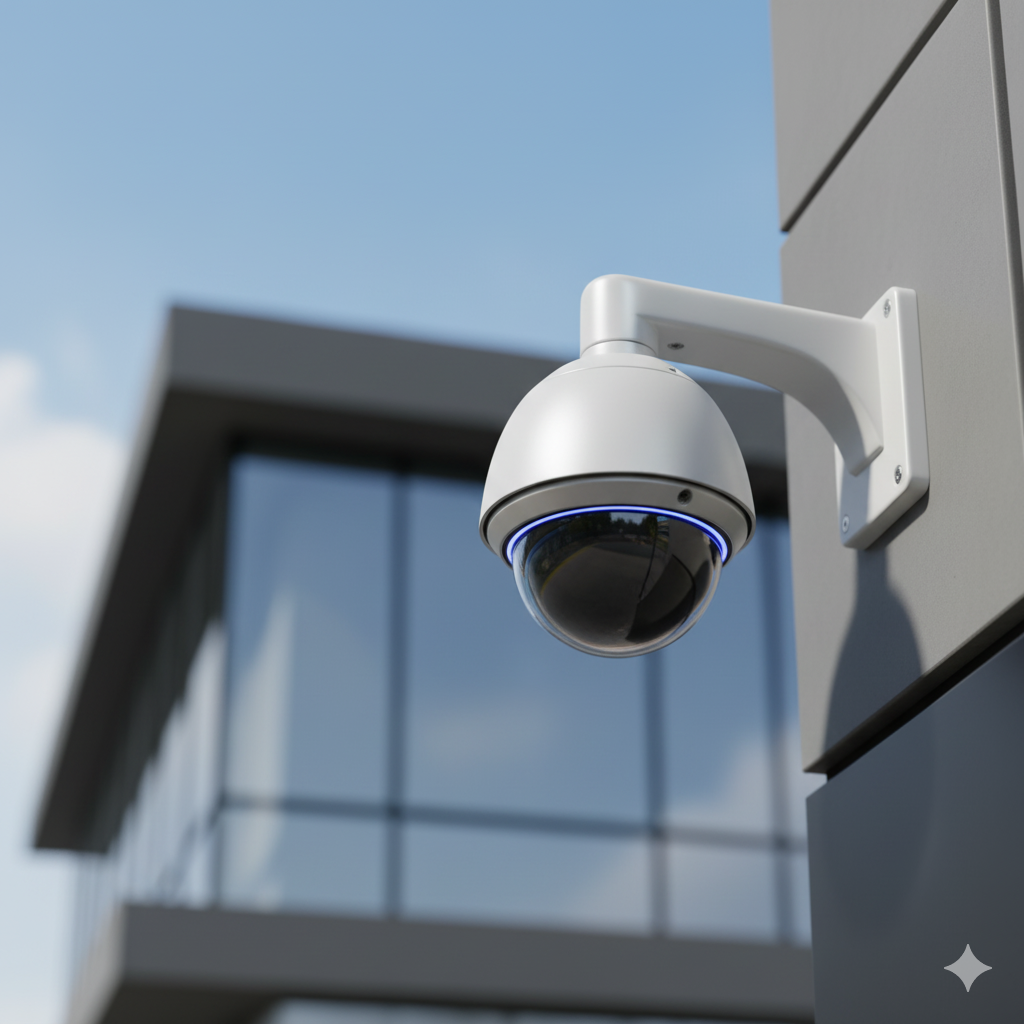
You need a video surveillance system for your New Jersey business. You start researching and immediately hit two acronyms: DVR and NVR. Both record security camera footage. Both let you review what happened. But they work in fundamentally different ways, cost different amounts, and suit different types of businesses.
At Security Dynamics Inc., we have been installing commercial video surveillance systems across New Jersey for 37 years. We have deployed thousands of DVR and NVR systems in offices, warehouses, retail stores, manufacturing plants, and everything in between. This guide explains exactly how each system works, what each one costs, and which one makes sense for your business in 2026.
What Is a DVR Security System?
DVR stands for Digital Video Recorder. A DVR system uses analog cameras connected to a central recording unit by coaxial cable (the same type of cable used for cable TV). The cameras capture raw video and send it to the DVR unit, where all the video processing happens. The DVR converts the analog signal to digital, compresses the footage, and stores it on an internal hard drive.
Think of it this way: the cameras are simple devices that just capture light and send a signal. The DVR box does all the heavy lifting — processing, compressing, and storing.
How DVR Systems Work
- Analog cameras capture video and send a continuous signal over coaxial cable (typically RG59 or RG6).
- The coaxial cable carries the analog signal from each camera to the DVR unit. Maximum recommended cable run is about 300 feet before signal degradation.
- The DVR unit receives all camera signals simultaneously, converts them from analog to digital, compresses the footage (using H.264 or H.265 codecs), and writes it to internal hard drives.
- Local monitoring connects directly via HDMI or VGA to a monitor at the DVR location.
- Remote access is available on most modern DVRs through port forwarding or a manufacturer’s app, though the experience is typically less polished than NVR remote access.
Key DVR Characteristics
- Uses analog cameras (traditional CCTV cameras, plus modern HD-over-coax like HD-TVI, HD-CVI, and AHD)
- Requires coaxial cable from every camera to the DVR
- All video processing happens at the recorder, not at the camera
- Resolution maxes out at about 8MP (4K) with modern HD-over-coax, though most analog systems run at 2MP-5MP
- Each camera requires a separate power supply (power is not carried over coaxial cable)
- DVR units typically come in 4, 8, 16, or 32 channel configurations
What Is an NVR Security System?
NVR stands for Network Video Recorder. An NVR system uses IP cameras (Internet Protocol cameras) that connect to the recorder over a standard computer network. The critical difference: IP cameras process their own video on board. Each camera has its own processor that compresses and encodes the video before sending a digital stream to the NVR over a network cable.
Think of it this way: the cameras are smart devices that do their own processing. The NVR is primarily a storage and management device — it receives already-processed digital video and records it.
How NVR Systems Work
- IP cameras capture video, process it on board using their internal processor, and compress it using H.265 or H.265+ codecs.
- The compressed digital video travels over a standard Ethernet cable (Cat5e or Cat6) to the NVR. Most NVR systems use PoE (Power over Ethernet), which means the same cable that carries the video data also powers the camera. One cable per camera handles both.
- The NVR unit receives the already-processed digital stream and writes it to internal hard drives. Because the NVR does not need to process the video itself, it can handle higher resolutions and more cameras simultaneously.
- Local monitoring connects via HDMI to a monitor, same as DVR.
- Remote access is typically built-in with a web interface and mobile app. Because the system is already network-based, remote viewing is seamless.
Key NVR Characteristics
- Uses IP cameras that process video internally
- Connects via standard Ethernet cable (Cat5e or Cat6) — the same cabling used for computers
- Video processing happens at the camera, not at the recorder
- Resolution goes up to 12MP, 16MP, and even 32MP on high-end models
- PoE eliminates separate power runs — one cable handles data and power up to 300 feet (and up to 800 feet with PoE extenders)
- NVR units come in 4, 8, 16, 32, and 64 channel configurations
- Supports advanced features like AI analytics, people detection, license plate recognition, and line crossing alerts
DVR vs NVR: Full Comparison
Here is a direct side-by-side comparison covering every factor that matters when choosing between DVR and NVR for a commercial installation:
| Factor | DVR | NVR |
|---|---|---|
| Camera Type | Analog (CCTV, HD-TVI, HD-CVI, AHD) | IP cameras (network-based) |
| Cable Type | Coaxial (RG59/RG6) + separate power cable | Ethernet (Cat5e/Cat6) — single cable with PoE |
| Video Processing | At the DVR unit | At the camera |
| Max Resolution | Up to 8MP (4K) with HD-over-coax | Up to 32MP (some models 12MP-16MP typical) |
| Scalability | Limited — tied to DVR channel count (4, 8, 16, 32) | Highly scalable — add cameras via network switches, up to 64+ channels |
| Remote Access | Available but often clunky; requires port forwarding or P2P apps | Built-in; web browser + polished mobile apps |
| AI / Analytics | Very limited — basic motion detection only | Advanced — people detection, vehicle detection, facial recognition, license plate recognition, line crossing |
| Audio | Requires separate audio cable per camera | Built-in audio over same Ethernet cable |
| Cabling Ease | Two cable runs per camera (video + power) | One cable per camera (PoE handles data + power) |
| Camera Flexibility | Limited to analog-compatible models | Huge selection — thousands of IP camera models, many brands interoperable via ONVIF |
| Reliability | Very reliable — simple architecture, fewer points of failure | Reliable — more complex but modern systems are proven |
| System Cost (4-8 cameras) | $500-$2,000 | $1,000-$4,000 |
| Best For | Budget-conscious small businesses, simple coverage needs, existing coax wiring | Growing businesses, multi-site, high-res needs, remote management, AI analytics |
DVR Advantages: When Analog Still Wins
DVR technology has been around for decades. While NVR gets most of the attention in 2026, DVR systems still make sense for specific situations. Here is where DVR genuinely has the edge:
Lower Upfront Cost
A complete 4-camera DVR system (recorder + cameras + cables + hard drive) starts around $500 for a basic setup. An equivalent NVR system starts around $1,000. For a small business owner watching every dollar, that difference matters. If you need basic coverage — a few cameras watching the entrance, register, and parking lot — a DVR system delivers functional surveillance at the lowest possible price point.
Simplicity
DVR systems have a simpler architecture. Camera connects to DVR via coaxial cable. That is essentially it. There is no network configuration, no IP address assignments, no DHCP conflicts, no firmware updates on individual cameras. For a small business without IT support, this simplicity means fewer things that can go wrong and easier troubleshooting when something does.
Rock-Solid Reliability for Small Systems
Coaxial cable is inherently resistant to electrical interference, which matters in commercial environments with motors, compressors, fluorescent lighting, and other sources of electromagnetic noise. A 4-camera DVR system in a small retail shop or restaurant is about as reliable as surveillance technology gets. It just works, year after year, with minimal maintenance.
Existing Infrastructure
Many older NJ commercial buildings already have coaxial cable runs from previous security systems or cable TV installations. If your building already has coax running to the locations where you want cameras, a DVR system can reuse that existing wiring. This saves hundreds or thousands of dollars in cabling labor — which is often the most expensive part of a surveillance installation.
No Network Dependency
DVR systems operate completely independently from your business network. They do not consume bandwidth, they cannot be affected by network outages (the cameras keep recording regardless), and they introduce zero cybersecurity risk to your business network because they are not connected to it. For businesses that either lack a network or want to keep their surveillance isolated from their IT infrastructure, DVR is the straightforward choice.
NVR Advantages: Why Most Businesses Choose NVR in 2026
NVR systems have become the standard for commercial surveillance installations. Here is why the majority of our NJ business clients choose NVR:
Superior Video Quality
IP cameras in NVR systems routinely capture at 4MP, 5MP, 8MP (4K), and even 12MP resolution. At 4K, you can zoom into footage after the fact and still read a license plate or identify a face from across a parking lot. DVR systems max out around 8MP with the newest HD-over-coax technology, and most existing DVR installations run at 2MP or less. If the purpose of your cameras is to actually identify people and capture evidence — not just see that something happened — the resolution advantage of NVR is significant.
Easier Installation with PoE
PoE (Power over Ethernet) is the single biggest installation advantage of NVR systems. One Cat5e or Cat6 cable carries both the video data and electrical power to the camera. DVR systems require two separate cable runs per camera — one coaxial for video and one for power. On an 8-camera installation, that means NVR requires 8 cable runs while DVR requires 16. In a commercial building where cable runs go through ceilings, walls, and conduit, that difference translates directly to lower installation labor cost and less time with your ceiling tiles removed.
Scalability
Adding cameras to an NVR system is straightforward. If your NVR has available channels, you add a camera by plugging it into a PoE switch. You do not need to run cable all the way back to the recorder — you run cable to the nearest network switch. For businesses that plan to grow, add locations, or expand coverage over time, NVR systems scale without the hard channel limits and home-run cabling requirements that DVR imposes.
Better Remote Access
Because NVR systems are network devices by design, remote access is built in from the ground up. Most NVR platforms offer polished mobile apps and web interfaces that let you view live cameras, review recorded footage, receive push notifications, and manage settings from anywhere. You can pull up your warehouse cameras from your phone while sitting at your office in another county. DVR remote access exists, but it is typically more cumbersome to set up (requiring port forwarding or a dedicated P2P connection) and less refined in daily use.
AI-Powered Analytics
This is the biggest differentiator in 2026. Modern IP cameras have onboard AI processors that enable intelligent features DVR systems simply cannot match:
- People detection: Distinguishes humans from animals, vehicles, or blowing trees — dramatically reducing false alerts.
- Vehicle detection: Identifies cars, trucks, and specific vehicle types. Some cameras can read license plates automatically.
- Line crossing and intrusion detection: Draw a virtual line or zone on the camera view. Get an alert when someone crosses it.
- Facial recognition: Match faces against an enrolled database for VIP alerts or unauthorized person detection.
- Loitering detection: Alert when someone remains in an area longer than a defined threshold.
- People counting: Track occupancy in real time — critical for retail analytics and fire code compliance.
These analytics transform cameras from passive recording devices into active security tools that alert you to threats as they happen, not after you review the footage the next morning.
Built-In Audio
Most modern IP cameras include built-in microphones, and many include speakers for two-way audio. Audio is transmitted over the same Ethernet cable as the video — no separate audio wiring needed. With DVR systems, adding audio requires running additional cables to each camera. Two-way audio lets you speak through a camera to a delivery driver, challenge a trespasser, or communicate with employees — all from your phone.
Cost Comparison: DVR vs NVR for NJ Businesses
Here is what you should actually budget for each type of system in 2026, including equipment and professional installation:
DVR System Costs (4-8 Cameras)
| Component | 4 Camera System | 8 Camera System |
|---|---|---|
| DVR unit (with hard drive) | $150-$400 | $250-$600 |
| Analog/HD cameras | $100-$400 ($25-$100 each) | $200-$800 ($25-$100 each) |
| Coaxial cable + power cable | $60-$150 | $120-$300 |
| Power supplies / splitters | $20-$50 | $40-$100 |
| Connectors, mounts, misc | $30-$80 | $50-$150 |
| Equipment Total | $360-$1,080 | $660-$1,950 |
| Professional installation | $400-$1,000 | $800-$2,000 |
| Total Installed | $760-$2,080 | $1,460-$3,950 |
NVR System Costs (4-8 Cameras)
| Component | 4 Camera System | 8 Camera System |
|---|---|---|
| NVR unit with PoE (with hard drive) | $300-$700 | $400-$1,000 |
| IP cameras | $300-$1,200 ($75-$300 each) | $600-$2,400 ($75-$300 each) |
| Ethernet cable (Cat5e/Cat6) | $40-$100 | $80-$200 |
| PoE switch (if not built into NVR) | $0-$100 | $0-$150 |
| Connectors, mounts, misc | $30-$80 | $50-$150 |
| Equipment Total | $670-$2,180 | $1,130-$3,900 |
| Professional installation | $400-$900 | $700-$1,600 |
| Total Installed | $1,070-$3,080 | $1,830-$5,500 |
Note on installation costs: NVR installation is often slightly cheaper per camera because there is only one cable to run per camera instead of two. The higher NVR total comes from the more expensive equipment, not the labor.
Hybrid DVR/NVR Systems
If you already have a DVR system and want to upgrade gradually, hybrid recorders offer a bridge between the two technologies. A hybrid recorder accepts both analog cameras (via coaxial input) and IP cameras (via network connection) simultaneously.
When Hybrid Makes Sense
- Phased upgrade: You have a working 8-camera analog system and want to add 4 new high-resolution IP cameras without replacing everything at once. A hybrid recorder lets you keep the existing analog cameras running while adding new IP cameras over time.
- Mixed building types: Your main office has modern network cabling, but your attached warehouse only has coaxial. A hybrid recorder handles both without requiring a complete rewire.
- Budget constraints: You cannot afford to replace your entire system today, but you want a path to full NVR. Start with a hybrid recorder and swap out analog cameras one at a time as they fail or as budget allows.
Hybrid Limitations
Hybrid recorders are a compromise. The analog channels have all the limitations of DVR (lower resolution, no AI analytics, separate power cables). The IP channels have all the advantages of NVR, but only for those specific cameras. Managing two different camera types adds complexity. For a new installation with no existing cameras, we rarely recommend hybrid — go straight to NVR. But for businesses upgrading from analog, hybrid is a smart transition strategy.
Storage Calculations: How Much Footage Can You Keep?
One of the most common questions we hear: “How many days of footage will the system store?” The answer depends on three variables: number of cameras, resolution, and hard drive size. Here is a practical storage guide:
Storage Requirements by Resolution
These estimates assume H.265 compression, continuous recording at 15 frames per second, and medium image quality — which is the standard configuration for most commercial installations:
| Resolution | Per Camera Per Day | 4 Cameras / 30 Days | 8 Cameras / 30 Days | 16 Cameras / 30 Days |
|---|---|---|---|---|
| 2MP (1080p) | 10-15 GB | 1.2-1.8 TB | 2.4-3.6 TB | 4.8-7.2 TB |
| 4MP (2K) | 18-25 GB | 2.2-3.0 TB | 4.3-6.0 TB | 8.6-12.0 TB |
| 5MP | 22-30 GB | 2.6-3.6 TB | 5.3-7.2 TB | 10.6-14.4 TB |
| 8MP (4K) | 35-50 GB | 4.2-6.0 TB | 8.4-12.0 TB | 16.8-24.0 TB |
How to Reduce Storage Needs
- Motion-based recording: Record only when the camera detects motion instead of recording continuously. This can reduce storage requirements by 50-70% depending on the environment. Most commercial installations use motion-based recording for interior cameras and continuous recording for exterior and high-security areas.
- H.265+ compression: The latest compression standard reduces file sizes by up to 50% compared to H.264 with virtually no quality loss. Most NVR systems from 2024 and later support H.265+ natively.
- Scheduled recording: Record certain cameras only during business hours or only after hours, depending on what you need to capture.
- Variable bitrate: Modern cameras automatically reduce the data rate when there is no motion in the frame and increase it when activity occurs. This optimizes storage without sacrificing quality when it matters.
Our Storage Recommendation
For most NJ commercial installations, we recommend enough storage for at least 30 days of footage. Many insurance companies require 30 days of retention, and some industries (banking, healthcare) require 60-90 days. We typically install 4TB drives for 4-camera systems, 8TB for 8-camera systems, and dual 8TB or 12TB drives for larger installations. Hard drives are relatively inexpensive — do not skimp on storage.
Cloud NVR: The Newest Option
Cloud NVR is a relatively new approach that eliminates the physical recording device entirely. Instead of storing footage on a local NVR unit, cameras upload their video stream directly to cloud storage servers over the internet.
How Cloud NVR Works
Cloud-compatible IP cameras connect to your building’s internet connection. The camera’s video stream is encrypted and uploaded to the manufacturer’s cloud infrastructure (typically AWS or Azure). You access live and recorded footage through a web browser or mobile app — there is no physical recorder to maintain, no hard drives to replace, and no risk of a burglar stealing the recorder and the evidence.
Cloud NVR Advantages
- No physical recorder to maintain or protect: The footage is off-site the moment it is captured.
- Automatic redundancy: Cloud platforms store footage across multiple data centers. If a data center goes down, your footage is still safe.
- Anywhere access: No port forwarding or network configuration. Log in from any browser.
- Unlimited scalability: Add cameras without worrying about recorder capacity or hard drive space.
- Automatic updates: The platform improves over time without you doing anything.
Cloud NVR Limitations
- Requires reliable high-speed internet: Each camera at 4MP needs roughly 4-8 Mbps of upload bandwidth. An 8-camera system needs 32-64 Mbps of dedicated upload bandwidth. Many NJ commercial internet plans cap upload speeds at 20-35 Mbps, which limits how many cameras can stream to the cloud.
- Ongoing subscription cost: Cloud storage typically costs $5-$30 per camera per month, depending on resolution and retention period. For an 8-camera system with 30-day retention, expect $40-$240/month. Over 5 years, the subscription costs can exceed the one-time cost of a local NVR.
- Internet-dependent: If your internet goes down, cloud-only systems stop recording (though some cloud cameras include a small local SD card as buffer storage).
- Bandwidth consumption: Cloud NVR consumes significant upload bandwidth, which can affect other business operations like VoIP phones, video conferencing, and cloud applications.
Our Take on Cloud NVR
Cloud NVR works well for small systems (1-4 cameras) where the simplicity and off-site storage outweigh the subscription cost. For larger systems, a local NVR with optional cloud backup of critical cameras is the better approach — you get the reliability and performance of local recording with the off-site protection of cloud for your most important views. We install cloud NVR systems regularly and can help you determine whether a full-cloud, hybrid-cloud, or local-only approach makes sense for your situation.
Which System Should Your NJ Business Choose?
After 37 years of installing surveillance systems across every type of New Jersey business, here is our honest recommendation based on business type and needs:
Choose DVR If:
- Your budget is under $1,500 for a complete system
- You need 4-8 cameras for basic coverage (entrances, register, parking lot)
- Your building already has coaxial cable runs in the right locations
- You do not need AI analytics, high-resolution zoom, or advanced remote access
- You want the simplest possible system with the fewest potential issues
- You do not plan to expand the system significantly in the future
Typical DVR clients: Small retail shops, restaurants with basic coverage needs, small offices with 1-2 entrances, businesses upgrading from no cameras at all and working with a tight budget.
Choose NVR If:
- You need higher than 2MP resolution for identification-quality footage
- You want AI analytics (people detection, license plate recognition, line crossing)
- You plan to add cameras or locations in the future
- Remote access is important — you need to check cameras from your phone regularly
- You want two-way audio capability
- Your building does not have existing coaxial cable (new installation from scratch)
- You manage multiple locations
- You need integration with access control or alarm systems
Typical NVR clients: Warehouses, manufacturing plants, multi-location retail chains, offices with 10+ cameras, healthcare facilities, auto dealerships, construction sites, any business that needs evidence-quality footage or smart alerts.
Choose Hybrid If:
- You have an existing analog system that still partially works
- You want to upgrade to IP cameras gradually without replacing everything at once
- You have a mix of coaxial and Ethernet cabling in your building
- Budget requires a phased approach over 1-2 years
Security Dynamics’ Recommendation for 2026
For most NJ businesses installing a new surveillance system in 2026, we recommend NVR. Here is why:
- The price gap has narrowed. Five years ago, NVR systems cost 3-4 times more than DVR. Today, the difference is roughly 1.5-2 times. The extra investment pays for itself in better footage, smarter alerts, easier installation, and longer system life.
- AI analytics change the game. The ability to get an alert when a person enters a restricted area — not just when a pixel changes on the screen — is transformative for commercial security. DVR cannot do this.
- Ethernet cabling is future-proof. Cat6 cable installed today will support camera technology for the next 15-20 years. Coaxial cable is a dead-end technology with a shrinking ecosystem.
- Remote management is expected. Business owners in 2026 expect to check their cameras from their phone. NVR delivers this experience natively and reliably.
- Integration matters. NVR systems integrate with access control, intrusion alarms, and building management systems over the network. DVR systems operate in isolation.
The one clear exception: if your building has existing coaxial runs and your budget is under $1,500, a modern HD-over-coax DVR system still delivers solid basic surveillance at a price point NVR cannot match.
Frequently Asked Questions
Can I mix DVR and NVR cameras on the same system?
Only with a hybrid recorder. A standard DVR cannot accept IP cameras, and a standard NVR cannot accept analog cameras. Hybrid DVRs (also called tribrid or pentabrid recorders) accept both types simultaneously. If you want to mix camera types, make sure you purchase a hybrid unit specifically.
How long do DVR and NVR hard drives last?
Surveillance-rated hard drives (like Western Digital Purple or Seagate SkyHawk) are designed for continuous read/write operation and typically last 3-5 years. Standard desktop hard drives used in surveillance recorders fail faster because they are not built for 24/7 operation. We install only surveillance-rated drives and recommend proactive replacement at the 4-year mark before failure.
Do NVR cameras work during a power outage?
Only if you have battery backup. PoE cameras get their power from the NVR or PoE switch. If those lose power, the cameras go dark. We install UPS (Uninterruptible Power Supply) battery backups on all commercial NVR and DVR systems to maintain recording during power outages. A properly sized UPS keeps an 8-camera system running for 30-60 minutes during an outage.
Can I use my existing coaxial cable with an NVR system?
Not directly. NVR systems require Ethernet cable. However, there are EoC (Ethernet over Coax) adapters that convert existing coaxial cable to carry Ethernet signals. This can be a cost-effective solution for buildings with extensive coax runs. The performance is slightly lower than native Ethernet, but it works for most applications. We evaluate this during site assessment.
Is an NVR system harder to maintain than a DVR?
Not meaningfully. Both types require hard drive monitoring, firmware updates, and periodic cleaning of cameras. NVR systems have the added consideration of network health — IP address conflicts, switch port failures, and firmware updates on individual cameras. However, modern NVR platforms automate most of this. Our service contracts cover maintenance for both types.
What is ONVIF and why does it matter?
ONVIF (Open Network Video Interface Forum) is an industry standard that ensures IP cameras and NVR systems from different manufacturers can work together. If your NVR and cameras are both ONVIF-compliant, they should be interoperable regardless of brand. This gives you flexibility to choose the best camera for each location without being locked into a single manufacturer’s ecosystem. DVR systems do not have an equivalent interoperability standard.
How many cameras does my business need?
This depends on your building layout and coverage goals. At minimum, most commercial properties need cameras at: every exterior entrance/exit, the cash register or point-of-sale area, the parking lot, any storage or inventory area, and the loading dock. A typical small retail store needs 4-6 cameras. A mid-size warehouse needs 8-16. We size the system during a free on-site assessment based on your actual layout and priorities.
Can I install a DVR or NVR system myself?
You technically can, but we do not recommend it for commercial applications. Professional installation ensures cameras are positioned for optimal coverage, cables are run to code, the system is configured for reliable recording and remote access, and all connections are weatherproofed for outdoor cameras. Improper installation is the most common cause of surveillance system failures we see during service calls. It also matters for insurance — many commercial policies require professional installation for the system to be covered.
What happens when the DVR or NVR hard drive is full?
Both DVR and NVR systems overwrite the oldest footage automatically when the hard drive fills up. This is called loop recording and it is the default behavior. The system continuously records, and when storage runs out, it deletes the oldest footage first. This means your retention period (how many days of footage you can go back) depends directly on your hard drive size, camera count, and resolution settings.
Should I get 4K cameras or is 1080p enough?
For exterior cameras and any camera where you need to identify faces or read license plates at a distance, 4K is worth the investment. The ability to zoom into recorded footage and still see sharp detail is the difference between “someone was here” and “this specific person was here.” For interior cameras in small spaces (a back office, a break room, a hallway), 1080p is perfectly adequate because subjects are close to the camera. Our standard recommendation: 4K for exterior and entrance cameras, 4MP or 1080p for interior cameras. This balances image quality with storage efficiency.
Next Steps
Whether you choose DVR or NVR, the most important thing is choosing the right system for your specific building, budget, and security goals. A $500 DVR system protecting a small retail shop is better than a $4,000 NVR system that was over-sold and sits partially configured because the owner does not know how to use it.
Security Dynamics Inc. has been designing, installing, and servicing surveillance systems across New Jersey since 1989. We work with both DVR and NVR platforms, and we recommend what actually fits your situation — not what carries the highest margin.
Get a free surveillance assessment: Call (609) 394-8800 or email sdynamicsnj@gmail.com. We will visit your property, evaluate your camera placement needs, review your cabling infrastructure, and recommend the right system — DVR, NVR, or hybrid — with no obligation and no sales pressure.