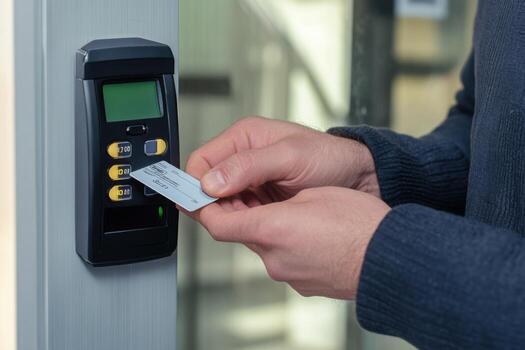
A key card can be stolen. A PIN can be shared. A fob can be cloned. But your fingerprint, your face, the pattern of blood vessels in your palm — those belong to you and only you. That is the fundamental promise of biometric access control, and it is why businesses across New Jersey are replacing traditional credentials with biometric readers in 2026.
At Security Dynamics Inc., we have been installing commercial security systems across New Jersey for 37 years. Biometric access control has moved from science fiction to mainstream commercial security faster than any technology we have seen. This guide breaks down every major biometric technology, compares them honestly, covers costs, and explains the privacy rules you need to know before installing one.
What Is Biometric Access Control?
Biometric access control is a security system that verifies a person’s identity using a unique physical or behavioral characteristic. Instead of presenting something you have (a card) or something you know (a PIN), you present something you are — your fingerprint, your face, your iris pattern, or your voice.
The system works in two phases:
- Enrollment: The system captures a biometric sample from each authorized user — a fingerprint scan, a facial image, an iris scan. It converts that sample into a mathematical template (not an actual image) and stores the template in its database.
- Verification: When someone presents their biometric at a reader, the system captures a new sample, converts it to a template, and compares it against the stored templates. If the match exceeds the confidence threshold, the door unlocks.
The critical thing to understand: reputable biometric systems do not store actual images of your fingerprint or face. They store encrypted mathematical representations — templates — that cannot be reverse-engineered back into an image. This is an important distinction for privacy compliance, which we will cover in detail later.
Types of Biometric Access Control Systems
There are five commercially viable biometric technologies used in access control today. Each works differently, costs differently, and fits different security needs.
1. Fingerprint Recognition
Fingerprint readers are the most widely deployed biometric access control technology in commercial buildings. The reader scans the unique pattern of ridges, valleys, and minutiae points on a fingertip.
How It Works
Modern fingerprint readers use one of three sensing technologies:
- Optical sensors: Capture an image of the fingerprint using light. Affordable and reliable but can be affected by wet or dirty fingers.
- Capacitive sensors: Use electrical current to map the ridges and valleys. More accurate than optical, less affected by moisture. This is the same technology in your smartphone.
- Multispectral imaging: Reads fingerprint data from below the skin surface using multiple wavelengths of light. Works with wet, dry, dirty, or damaged fingers. The gold standard for commercial access control.
Accuracy
False Acceptance Rate (FAR): 0.001% or lower. False Rejection Rate (FRR): 1-3% for standard sensors, under 0.1% for multispectral. Verification time: under 1 second.
Cost Per Door
$1,000-$2,500 installed. Fingerprint readers range from $500 to $1,500 for the reader hardware, plus controller, wiring, and installation labor. This makes fingerprint the most affordable biometric option.
Pros
- Lowest cost biometric technology
- Fast verification (under 1 second)
- Mature technology with proven reliability
- Small reader footprint — fits almost anywhere
- Large database of compatible hardware and integrations
Cons
- Requires physical contact with the reader (hygiene concern post-COVID)
- Standard sensors struggle with wet, dirty, or worn fingerprints
- Does not work for users with certain skin conditions or severe callusing
- Can be spoofed with high-quality fake fingerprints (mitigated by liveness detection)
2. Facial Recognition
Facial recognition readers capture and analyze the geometry of a person’s face — the distance between the eyes, the shape of the jawline, the depth of the eye sockets, and dozens of other measurements unique to each individual.
How It Works
Commercial-grade facial recognition access control uses one of two approaches:
- 2D camera-based: Captures a standard photograph and analyzes facial geometry. Less expensive but more susceptible to spoofing with a photograph.
- 3D depth-sensing: Uses infrared or structured light to create a three-dimensional map of the face. Extremely difficult to spoof. Works in complete darkness because it does not rely on visible light. This is the technology used in high-security installations.
Accuracy
False Acceptance Rate (FAR): 0.0001% for 3D systems. False Rejection Rate (FRR): 0.5-2%. Verification time: 1-2 seconds. 3D facial recognition is now among the most accurate biometric modalities available.
Cost Per Door
$2,000-$4,000 installed. 3D facial recognition readers cost $1,500-$3,000 for the hardware. 2D camera-based readers are cheaper ($800-$1,500) but we do not recommend them for security applications due to spoofing vulnerability.
Pros
- Completely touchless — no physical contact with the reader
- Works at a distance (users do not need to stop and position themselves precisely)
- Cannot be forgotten, lost, or stolen
- 3D systems work in any lighting condition including total darkness
- Can identify users wearing glasses, hats, and moderate facial hair changes
- Supports walk-through identification at entry points without breaking stride
Cons
- Higher hardware cost than fingerprint
- 2D systems can be defeated by a high-quality photograph (always use 3D for security)
- Face masks can reduce accuracy (though modern systems handle partial face coverage)
- Raises more public perception and privacy concerns than other biometrics
- Requires periodic re-enrollment if a user’s appearance changes significantly (major weight change, surgery)
3. Iris and Retina Scanning
Iris scanning and retina scanning are two distinct technologies that both use the eye for identification. Iris scanning analyzes the colored ring around the pupil. Retina scanning maps the pattern of blood vessels at the back of the eye.
How They Work
- Iris scanning: A near-infrared camera photographs the iris from a distance of 4-12 inches. The iris has over 200 unique features — more than any other biometric — and the pattern is stable from roughly age two until death. The scan is non-invasive and takes about 2 seconds.
- Retina scanning: The user looks into an eyepiece while a low-intensity infrared light maps the blood vessel pattern on the retina. This requires the user to hold still and position their eye within 1-3 inches of the scanner. More intrusive than iris scanning but extraordinarily accurate.
Accuracy
Iris FAR: 0.0001%. Iris FRR: 0.5-1%. Retina FAR: 0.0001%. Retina FRR: under 0.5%. Both are among the most accurate biometric modalities in existence. The iris has a template complexity that makes false matches essentially impossible at commercial confidence thresholds.
Cost Per Door
$3,000-$5,000 installed. Iris scanners cost $2,000-$4,000 for the reader. Retina scanners are even more expensive and are primarily used in government and military applications. For commercial installations, iris scanning is the practical choice.
Pros
- Highest accuracy of any biometric technology
- Iris patterns do not change over time (unlike fingerprints, which can wear)
- Contactless — no hygiene concerns
- Extremely difficult to spoof (the iris reacts to light changes, which liveness detection uses to confirm a real eye)
- Works with glasses and contact lenses (though colored contacts can interfere)
Cons
- Highest hardware cost of any biometric reader
- Requires more precise user positioning than fingerprint or facial recognition
- Retina scanning is physically intrusive (users must put their eye very close to the device)
- Some users find iris scanning uncomfortable or intimidating
- Smaller selection of commercial hardware compared to fingerprint or facial recognition
4. Palm Vein Recognition
Palm vein readers use near-infrared light to capture the pattern of veins beneath the skin of the palm. Because the vein pattern is internal, it is virtually impossible to replicate or spoof.
How It Works
The reader emits near-infrared light. Deoxygenated hemoglobin in the veins absorbs the light, creating a high-contrast image of the vein network. The reader captures this pattern from 1-3 inches below the reader surface — the user simply waves their hand over the device without touching it.
Accuracy
FAR: 0.00008%. FRR: 0.01%. Verification time: under 1 second. Palm vein has one of the lowest false rejection rates of any biometric, meaning authorized users almost never get denied.
Cost Per Door
$2,000-$3,500 installed. Palm vein readers cost $1,200-$2,500 for the hardware. The technology sits between fingerprint and iris in terms of cost.
Pros
- Contactless — completely hygienic
- Internal biometric — cannot be captured from a distance or from surfaces the user touches
- Virtually spoof-proof (you cannot fake the vein pattern beneath living skin)
- Works regardless of skin condition, moisture, or dirt
- Low user resistance — waving a hand feels natural and non-invasive
- Not affected by aging, cuts, scars, or weather
Cons
- Less widely deployed than fingerprint or facial recognition (fewer vendor options)
- Reader hardware is larger than fingerprint readers
- Cannot identify users at a distance (hand must be within inches of the reader)
- Limited integration options with some legacy access control platforms
5. Voice Recognition
Voice recognition uses the unique characteristics of a person’s voice — pitch, cadence, tone, frequency patterns, and vocal tract shape — to verify identity.
How It Works
During enrollment, the user speaks a passphrase or series of words. The system creates a voiceprint template from the audio characteristics. At verification, the user speaks again, and the system compares the new voiceprint against the stored template. Modern systems use text-independent recognition, meaning the user can say anything — the system identifies the voice regardless of the words spoken.
Accuracy
FAR: 1-2%. FRR: 5-10%. Verification time: 2-4 seconds. Voice recognition is the least accurate of the five biometric modalities for access control purposes, which is why it is rarely used as a standalone credential.
Cost Per Door
$1,500-$2,500 installed. Voice recognition hardware (microphone array and processing unit) costs $800-$1,500. However, voice is almost always used as a second factor rather than a standalone biometric.
Pros
- Completely contactless
- Can be integrated into intercom and communication systems
- Natural user interaction — just speak normally
- Useful as a second factor for phone-based or remote authentication
Cons
- Lowest accuracy of any biometric modality
- Affected by background noise, illness, and emotional state
- Vulnerable to high-quality voice recordings (mitigated by liveness detection)
- Slower verification than other biometrics
- Not suitable as a standalone access control credential for security-critical doors
- Environmental noise in industrial settings can make it unreliable
Biometric Technology Comparison: Side by Side
| Factor | Fingerprint | Facial Recognition (3D) | Iris Scan | Palm Vein | Voice |
|---|---|---|---|---|---|
| Cost Per Door | $1,000-$2,500 | $2,000-$4,000 | $3,000-$5,000 | $2,000-$3,500 | $1,500-$2,500 |
| False Accept Rate | 0.001% | 0.0001% | 0.0001% | 0.00008% | 1-2% |
| False Reject Rate | 1-3% | 0.5-2% | 0.5-1% | 0.01% | 5-10% |
| Speed | Under 1 sec | 1-2 sec | 2 sec | Under 1 sec | 2-4 sec |
| Touchless | No | Yes | Yes | Yes | Yes |
| Spoof Resistance | Moderate | High (3D) | Very High | Very High | Low |
| User Comfort | High | High | Moderate | High | High |
| Best For | General commercial | High-traffic entries | Maximum security | Healthcare, cleanrooms | Second factor only |
Biometric vs. Card, Fob, and PIN: Why Businesses Are Switching
Traditional access credentials — key cards, fobs, and PINs — have served commercial buildings for decades. They still work. But they have fundamental weaknesses that biometrics eliminate.
| Factor | Biometric | Key Card / Fob | PIN Code |
|---|---|---|---|
| Can be lost or stolen | No | Yes | N/A |
| Can be shared or loaned | No | Yes | Yes |
| Can be cloned or copied | Extremely difficult | Yes (proximity cards) | Yes (shoulder surfing) |
| Proves identity | Yes — the person was there | No — only the card was there | No — only the code was entered |
| Replacement cost | $0 (nothing to replace) | $2-$10 per card/fob | $0 (but admin time to reset) |
| Admin overhead | Enroll once, done | Order, program, distribute, replace | Assign, reset, manage sharing |
| Hardware cost per door | $1,000-$5,000 | $500-$1,500 | $200-$600 |
| Best security application | High-security, compliance, identity-critical | General office access | Low-security interior doors |
The bottom line: Cards and fobs prove that a credential was presented. Biometrics prove that a person was present. For any door where you need to know who actually entered — not just which card was used — biometrics are the only answer.
Multi-Factor Authentication: Biometric + PIN
The strongest access control uses two or more factors from different categories:
- Something you are (biometric: fingerprint, face, iris)
- Something you have (card, fob, smartphone)
- Something you know (PIN, password)
Combining a biometric with a PIN or card creates multi-factor authentication (MFA) at the door. This means that even if someone could somehow replicate your fingerprint, they would also need your PIN to gain entry. The probability of defeating both factors simultaneously is astronomically low.
Common Multi-Factor Configurations
- Fingerprint + PIN: The most common MFA setup for commercial buildings. The user scans their finger and enters a 4-6 digit PIN. Cost-effective and fast. Used for server rooms, pharmaceutical storage, executive areas.
- Facial recognition + card: The user presents a card and the camera verifies their face matches the cardholder record. Prevents card sharing without slowing throughput. Popular in corporate offices with high headcount.
- Iris scan + PIN: Maximum security configuration. Used in government facilities, data centers, and research labs. The iris scan confirms identity and the PIN adds a knowledge factor that changes independently of the biometric.
- Card + fingerprint + PIN (three-factor): Reserved for the highest-security applications. All three factors must pass before the door unlocks. Used in defense, banking vaults, and controlled substance storage.
How to Layer Security Across a Building
Most businesses do not need biometrics on every door. The smart approach is layered security:
- Exterior doors and lobby: Card or mobile credential (convenient, fast throughput)
- Interior offices and common areas: Card or PIN (moderate security)
- Server rooms, pharmacies, executive suites: Biometric (fingerprint or facial recognition)
- Vaults, labs, controlled substance storage: Biometric + PIN (multi-factor)
This layered approach keeps the total cost reasonable while concentrating the highest security where it matters most. A 25-door office building might have 20 doors on card readers and 5 doors on biometric readers — and those 5 doors are the ones protecting your most valuable assets.
Privacy Considerations: NJ Data Laws and Employee Consent
Biometric data is personal data. Before installing biometric access control, you need to understand your legal obligations — especially in New Jersey.
New Jersey Biometric Data Law
New Jersey’s data privacy landscape is evolving. As of 2026, NJ does not have a standalone biometric privacy act like Illinois’s BIPA (Biometric Information Privacy Act), but biometric data is covered under several existing frameworks:
- New Jersey Data Protection Act (NJDPA): Classifies biometric data as “sensitive data” requiring affirmative consent before collection. Businesses must disclose what data is collected, why, and how long it is retained.
- New Jersey Identity Theft Prevention Act: Requires reasonable security measures to protect personal identifying information, which includes biometric identifiers.
- Workplace privacy protections: New Jersey courts have recognized employee privacy rights in the workplace. Collecting biometric data without clear notice and consent can create legal liability.
Employee Consent Requirements
Before enrolling any employee in a biometric access control system, you must:
- Provide written notice explaining that biometric data will be collected, what type (fingerprint, face, etc.), and the purpose (building access control).
- Obtain written consent from each employee before enrollment. This consent must be affirmative — silence or continued employment does not count as consent.
- Disclose your data retention policy — how long biometric templates are stored and when they are destroyed (typically upon termination of employment or within a specified timeframe).
- Explain the security measures protecting the biometric data — encryption, access controls, storage location.
- Provide an alternative for employees who refuse biometric enrollment. This could be a card or PIN credential for their assigned doors.
Biometric Data Storage Best Practices
- Store templates, not images: Reputable systems store encrypted mathematical templates, not actual fingerprint images or facial photographs. Templates cannot be reverse-engineered into usable biometric data.
- Encrypt at rest and in transit: All biometric templates should be encrypted using AES-256 at rest and TLS 1.3 in transit.
- Limit access: Only designated security administrators should have access to the biometric database. Use role-based access controls within the access control management platform.
- Set retention limits: Establish a clear policy for how long biometric data is retained. Best practice: delete biometric templates within 30 days of an employee’s departure or the end of their business relationship with your company.
- On-device vs. cloud storage: Some systems store biometric templates only on the local reader or controller — never in the cloud. This reduces the attack surface significantly and may simplify compliance. Others store encrypted templates in the cloud for cross-site enrollment. Choose based on your security requirements and number of locations.
What Happens If You Skip Consent?
Collecting biometric data without proper consent can expose your business to:
- Lawsuits under NJ privacy laws (individual and class action)
- Regulatory fines and enforcement actions
- Employee relations damage and potential labor disputes
- Reputational harm that far exceeds the cost of doing it right
Our recommendation: Work with your employment attorney to draft a biometric consent form before installing any biometric readers. The form should cover notice, consent, retention, and destruction policies. We can provide sample language that our NJ commercial clients have used as a starting point.
Best Use Cases by Industry
Different industries have different security needs, compliance requirements, and operational workflows. Here is where each type of biometric access control delivers the most value:
Healthcare (HIPAA Compliance)
HIPAA requires controlling and auditing access to areas where protected health information (PHI) is stored or accessible. Biometric access control provides the strongest proof that a specific authorized individual — not just someone holding a card — entered a restricted area. Best fit: Fingerprint or palm vein readers on pharmacy, medical records rooms, server rooms housing EHR systems, and controlled substance storage areas. Facial recognition at main entry for contactless, high-throughput identification.
Financial Services
Banks, credit unions, wealth management firms, and financial services offices handle sensitive financial data and physical assets (cash, documents, safe deposit boxes). Regulators expect robust physical security and clear audit trails. Best fit: Multi-factor biometric (fingerprint + PIN) on vault and cash handling areas. Facial recognition on data center and server room doors. Card + biometric at building entry for employee convenience with identity verification.
Government Facilities
Government buildings, courthouses, and public agencies have strict security requirements and often need to comply with federal standards like FIPS 201 (Personal Identity Verification). Best fit: Iris scanning or multi-factor biometric for restricted areas. Facial recognition at public entry points for employee identification. Integration with PIV (Personal Identity Verification) card systems required by federal agencies.
Data Centers
Data centers protect critical IT infrastructure and client data. Unauthorized physical access can compromise thousands of servers and the data they hold. Many data center clients require SOC 2 compliance, which mandates strict physical access controls. Best fit: Multi-factor biometric (iris or palm vein + PIN) at all entry points. Mantrap configurations (two doors with biometric verification at each) for server cage access. Every access event must be logged and tied to a verified individual identity.
Cannabis Industry (NJ Regulatory Requirement)
New Jersey’s Cannabis Regulatory Commission (CRC) requires licensed cannabis businesses to maintain comprehensive security systems including access control for all limited-access areas. The regulations specifically require the ability to identify who accessed which areas and when. Best fit: Fingerprint or facial recognition on all limited-access areas (cultivation, processing, storage, vault). Biometric verification ensures that only licensed, authorized personnel access product areas — not just anyone with a borrowed key card. The audit trail satisfies CRC inspection requirements.
Manufacturing and Warehousing
Manufacturing facilities and warehouses deal with high employee turnover, shift-based schedules, and the need to track who accessed specific zones for inventory loss prevention and workplace safety compliance. Best fit: Fingerprint readers for their affordability and speed at shift change (dozens of employees scanning in within minutes). Multispectral fingerprint readers handle the dirty, calloused, or wet hands common in industrial environments. Facial recognition at vehicle entry gates for hands-free driver identification.
Education
Schools and universities need to balance security with a welcoming environment. Lockdown capability is essential. Visitor management is critical. Best fit: Facial recognition at main entry for staff identification — fast, touchless, and does not slow down morning arrival. Card or mobile credentials for students and general access. Biometric on administrative offices, server rooms, and medication storage.
Integration with Existing Access Control Systems
You do not necessarily need to rip out your existing access control system to add biometrics. Modern biometric readers are designed to integrate with standard access control platforms.
Wiegand and OSDP Compatibility
Most biometric readers output standard Wiegand (26-bit or 34-bit) or OSDP (Open Supervised Device Protocol) signals. If your existing access control system uses these protocols — and most commercial systems installed in the last 20 years do — a biometric reader can replace a card reader on any door without changing the controller, software, or wiring behind the wall.
What You Can Keep
- Door controllers: If they support Wiegand or OSDP input, they stay.
- Lock hardware: Electric strikes, magnetic locks, and door closers are unaffected by a reader swap.
- Wiring: Standard reader wiring (typically 6-8 conductor) works for most biometric readers.
- Software: Your access control management software continues to manage door schedules, user permissions, and event logs. The biometric reader simply sends a credential number instead of a card number.
What May Need Upgrading
- Power supply: Biometric readers draw more power than card readers. Verify your existing power supply can handle the additional load.
- Network connectivity: Some biometric readers require an IP network connection for template synchronization and firmware updates. If your existing readers are wired only for Wiegand, you may need to run an additional Ethernet cable.
- Controller firmware: Older controllers may need a firmware update to support the credential format sent by the biometric reader.
Hybrid Approach
The most common integration we install in NJ is a hybrid system: card readers on most doors, biometric readers on high-security doors, all managed from one platform. Users enroll their biometric once and receive a card for low-security doors. They use their fingerprint, face, or palm vein for restricted areas. The management dashboard shows a unified access log across both credential types.
Anti-Spoofing Technology: How Modern Readers Detect Fakes
The biggest concern with biometrics is spoofing — presenting a fake biometric to fool the reader. Hollywood shows someone lifting a fingerprint from a glass or holding up a photograph. Modern biometric readers have sophisticated countermeasures:
Liveness Detection
The most important anti-spoofing technology. Liveness detection confirms that the biometric sample comes from a living person, not a photograph, mold, or recording.
- Fingerprint liveness: Multispectral sensors read subsurface skin characteristics that a silicone or gelatin fake cannot replicate. Some sensors detect pulse, blood oxygen, or electrical conductivity — all of which require living tissue.
- Facial recognition liveness: 3D depth cameras detect the three-dimensional contour of a real face. A photograph is flat and instantly rejected. Advanced systems track micro-movements (blinking, slight head movements) that a mask or video cannot replicate in real time.
- Iris liveness: The iris contracts and dilates in response to light changes. The reader varies the illumination and checks for a natural pupil response. A printed image or contact lens with a pattern does not respond to light.
- Palm vein liveness: Near-infrared imaging detects blood flow in living veins. A prosthetic hand or image has no blood flow and is rejected immediately.
Multi-Spectral Imaging
Readers that use multiple wavelengths of light capture data from both the surface and subsurface of the skin. This provides characteristics that cannot be replicated by any known spoofing material — the optical properties of living human tissue are unique and extremely difficult to mimic.
AI-Based Presentation Attack Detection
The latest generation of biometric readers incorporates machine learning models trained on millions of real and fake biometric samples. These models detect subtle artifacts in spoofed samples that rule-based systems miss. As spoofing techniques evolve, the AI models are updated via firmware to stay ahead of new attacks.
Practical reality: Spoofing a modern commercial biometric reader with liveness detection requires a level of effort, expertise, and access to the target’s biometric data that far exceeds the difficulty of bypassing a card or PIN system. For all practical commercial purposes, modern biometric readers with liveness detection are extremely secure.
Security Dynamics Biometric Access Control Installation
Security Dynamics Inc. has been installing access control systems across New Jersey since 1989. As biometric technology has matured, we have added it as a core capability alongside card-based and cloud-based systems. Here is what we bring to biometric projects:
Technology-Neutral Recommendations
We are not locked into a single biometric vendor. We evaluate your facility, your security requirements, your budget, and your operational workflow — then recommend the biometric technology and specific hardware that fits. If fingerprint is the right answer, we say fingerprint. If your facility needs facial recognition, we say that. We do not push expensive technology where affordable technology does the job.
Complete System Integration
Biometric readers are most valuable when they are part of a unified security system. We install biometric access control integrated with video surveillance, intrusion detection, and fire alarm systems. When a biometric reader grants access, the nearest camera records who entered. When the alarm triggers, biometric doors lock down. This integration is where the real security value lives — and it requires an installer who handles all four systems, not just one.
Privacy Compliance Support
We walk every commercial client through the consent requirements, data retention policies, and employee notification procedures before a single biometric reader is installed. We can provide sample consent forms and biometric data policies that NJ businesses have used successfully. We configure the system to match your retention policy — automatic template deletion upon employee departure, data encryption at every level, role-based access to the biometric database.
Licensed, Insured, Local
Every biometric installation is performed by our licensed NJ technicians. We hold NJ Burglar Alarm License #34BA00089500 and NJ Fire Alarm License #P00747. We are insured, bonded, and based in Trenton — not a national chain with a call center in another state. When you need service, you call us and a local technician responds.
Free Security Assessment
Not sure which biometric technology is right for your building? We provide free on-site security assessments for commercial properties throughout New Jersey. We will walk your facility, evaluate your doors and infrastructure, discuss your security requirements and compliance obligations, and recommend the right system — biometric, card-based, or a hybrid of both. No obligation, no sales pressure. Call (609) 394-8800 or email us to schedule.
Frequently Asked Questions
How accurate is biometric access control compared to key cards?
Biometric systems are significantly more accurate at verifying identity. A key card only proves the card is present — anyone holding it gets access. A biometric proves the actual person is present. In terms of false acceptance rates, the best biometric systems (iris, palm vein) have FAR below 0.001%, meaning the chance of the system accepting the wrong person is less than 1 in 100,000. Key cards have zero ability to distinguish between the authorized cardholder and someone who found the card on the ground.
Can biometric readers work outdoors in New Jersey weather?
Yes, but not all readers are rated for outdoor use. Outdoor-rated biometric readers are available for all major technologies and are designed to handle NJ’s temperature range (subzero winters to humid summers), rain, snow, and direct sunlight. We specify outdoor-rated, IP65 or IP67 enclosure readers for any exterior installation. Facial recognition (3D infrared) is particularly well-suited for outdoor use because it does not rely on ambient light.
What if an employee refuses to provide their biometric data?
You must provide an alternative access method. Under NJ privacy protections, employees have the right to decline biometric enrollment. The standard alternative is a card or PIN credential for their assigned doors. The system can be configured to require biometric for some users and card for others on the same door — there is no technical limitation preventing mixed credential types.
How long does biometric enrollment take per employee?
Fingerprint enrollment takes about 60 seconds per person (scan each finger 2-3 times for template quality). Facial recognition enrollment takes 30-60 seconds (stand in front of the camera, turn slightly left and right). Iris enrollment takes about 90 seconds. For a 100-person office, expect 2-4 hours for full enrollment with one enrollment station.
Do biometric templates change over time?
Iris patterns are stable for life. Fingerprints can change gradually due to aging, injuries, or manual labor — heavy callusing or chemical exposure can reduce fingerprint quality. Facial geometry changes with significant weight fluctuations, aging, or surgery. Best practice is to schedule re-enrollment every 2-3 years for fingerprint systems and monitor for increased false rejections as a signal that re-enrollment is needed.
Can biometric access control integrate with my existing security cameras?
Yes. Modern biometric access control platforms integrate with major video management systems (VMS). When a biometric reader grants or denies access, the event triggers the nearest camera to bookmark that moment in the video recording. Security personnel can pull up any access event and immediately see the corresponding video — who presented the biometric, whether they entered, and what they did. This biometric-video integration is one of the most powerful security tools available.
What is the maintenance requirement for biometric readers?
Biometric readers require minimal maintenance. Fingerprint readers need periodic cleaning of the sensor surface (weekly in high-traffic locations). Facial recognition cameras need the lens cleaned monthly. Iris scanners need lens cleaning and occasional alignment verification. All readers need firmware updates as they become available — we handle this as part of our service contracts. Annual preventive maintenance keeps readers operating at peak accuracy.
Is biometric data safe from hackers?
Reputable biometric access control systems use multiple layers of protection. Biometric templates are encrypted using AES-256 — the same encryption standard used by the U.S. government for classified data. Templates are stored as mathematical representations, not images, so even if someone accessed the database, they could not reconstruct a usable fingerprint or face. Communication between readers and servers uses TLS 1.3 encryption. The practical risk of a properly configured biometric system being compromised is extremely low.
How much does it cost to add biometric readers to my existing access control system?
If your existing system supports Wiegand or OSDP protocols (most commercial systems do), adding a biometric reader to an existing door typically costs $1,000-$4,000 per door depending on the biometric technology chosen. This includes the reader hardware, any power supply upgrades needed, mounting, programming, and enrollment. You do not need to replace controllers, lock hardware, or software in most cases. We evaluate your existing system during the free site assessment and give you an exact cost per door.
Which biometric technology does Security Dynamics recommend most often?
For most NJ commercial buildings, we recommend fingerprint readers with multispectral imaging as the best balance of cost, accuracy, speed, and reliability. For facilities that need touchless operation (healthcare, food processing, cleanrooms), we recommend 3D facial recognition or palm vein. For maximum security (data centers, government, cannabis), we recommend iris scanning or multi-factor biometric (fingerprint + PIN). There is no single best biometric — the right answer depends on your facility, your people, your compliance requirements, and your budget. That is exactly what we evaluate during the free security assessment.
Next Steps
Biometric access control has crossed the line from emerging technology to proven commercial standard. The readers are accurate, fast, and equipped with anti-spoofing that makes them far more secure than cards, fobs, or PINs. The privacy framework is clear — get consent, encrypt data, set retention limits — and NJ businesses that follow it are well-protected legally.
The question is not whether biometric access control works. It is which technology fits your building, your people, and your budget. That is a question best answered by walking your facility and understanding your specific situation — not by reading a spec sheet online.
If you are considering biometric access control for your New Jersey business, Security Dynamics Inc. can help you evaluate the right technology, design the system, and install it to NJ code. We have been protecting commercial properties across the state for 37 years.
Get a free security assessment: Call (609) 394-8800 or email sdynamicsnj@gmail.com. We will visit your site, evaluate your doors and security needs, and recommend the right biometric access control solution — no obligation.