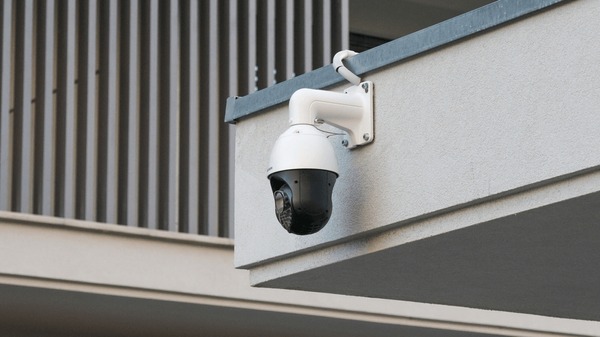
You are looking at security cameras and the first decision is staring you in the face: wired or wireless? The internet is full of product reviews from camera manufacturers telling you their wireless cameras are "just as good as wired." Meanwhile, old-school security companies insist wireless cameras are toys. The truth is somewhere in between -- and it depends entirely on whether you are protecting a house or a business, how many cameras you need, and what you actually expect the system to do when something goes wrong at 2 AM.
At Security Dynamics Inc., we have been designing and installing surveillance systems across New Jersey for 37 years. We install wired IP/PoE camera systems for commercial clients every week, and we understand exactly where wireless cameras work, where they fail, and where a hybrid approach makes the most sense. This guide gives you the honest comparison -- not a product pitch -- so you can choose the right technology for your property.
The Security Camera Market in 2026: Why This Decision Matters More Than Ever
The global video surveillance market is growing fast, and the technology you choose today will be on your building for the next 5-10 years. Understanding the landscape helps you avoid buying something that is already outdated.
- Market size: The global video surveillance market reached $67.4 billion in 2025 and is projected to grow at 10.1% CAGR through 2030, according to Grand View Research. Businesses are investing more in camera systems, not less.
- IP camera dominance: IP-based cameras (which includes both wired PoE and Wi-Fi models) now account for over 70% of new commercial installations, according to the Security Industry Association (SIA) 2025 market report. Analog is being phased out of new builds.
- Wireless camera growth: Consumer wireless camera shipments grew 22% year-over-year in 2024, driven by DIY adoption, according to Parks Associates. But commercial wireless adoption remains below 15% of new professional installations.
- Cybersecurity incidents: A 2024 survey by ASIS International found that 25% of organizations experienced a security camera-related cyber incident in the past two years, with improperly secured wireless and IoT cameras as the primary attack vector.
- Average system lifespan: Commercial-grade wired cameras last 7-10 years on average, while wireless battery-powered cameras average 3-5 years before battery degradation requires replacement, according to industry data from Security InfoWatch.
The bottom line: wired PoE/IP systems dominate the commercial market for a reason. Wireless cameras have carved out a real niche in residential and temporary applications. Choosing wrong costs you money, coverage gaps, and years of frustration.
What Are Wired Security Cameras?
Wired security cameras transmit video and receive power through physical cables. In 2026, “wired cameras” almost always means one of two technologies:
PoE IP Cameras (The Modern Standard)
Power over Ethernet (PoE) IP cameras are the gold standard for new commercial and high-end residential installations. A single Cat5e or Cat6 Ethernet cable carries both the video data and electrical power to the camera. The camera is a network device -- it has its own IP address, processes video on-board, and sends compressed digital video to an NVR (Network Video Recorder) or cloud storage.
PoE is the technology Security Dynamics specializes in. A single cable run per camera. Centralized power management through a PoE switch. No separate power supplies, no wall adapters, no batteries. When the power goes out, one UPS (battery backup) keeps every camera on the system running. This is the architecture that 90%+ of our commercial security system installations use.
Analog HD Cameras (Legacy but Still Relevant)
Traditional analog cameras (now upgraded to HD-TVI, HD-CVI, or AHD standards) transmit video over coaxial cable to a DVR (Digital Video Recorder). They require a separate power cable alongside the video cable. Analog cameras are simpler but less capable -- lower resolution ceilings, no on-board analytics, and limited remote access. They still make sense in one specific scenario: when a building already has coaxial cable runs from an old system and the budget does not allow a full re-cable. We covered this in detail in our IP vs analog cameras comparison.
Key Characteristics of Wired Cameras
- Connection: Cat5e/Cat6 Ethernet (PoE) or coaxial cable (analog)
- Power: PoE delivers power + data on one cable. Analog requires separate power.
- Resolution: Up to 32MP (8K) for IP cameras; up to 8MP (4K) for HD analog
- Recording: NVR (IP) or DVR (analog), with optional cloud backup for IP
- Reliability: 24/7 continuous recording with no signal drops, no battery concerns
- Lifespan: 7-10 years for commercial-grade hardware
- Remote access: Full-featured apps for IP; basic apps for analog DVR
- Analytics: AI-powered person/vehicle detection, facial recognition, LPR, line crossing (IP only)
What Are Wireless Security Cameras?
Wireless security cameras transmit video over Wi-Fi instead of a physical cable. But the word “wireless” is misleading -- it actually covers two very different products:
Plug-In Wi-Fi Cameras
These cameras connect to your Wi-Fi network for video transmission but still need to be plugged into a power outlet. They are “wireless” only in the sense that they do not need a video cable -- they absolutely need power. Popular examples include Ring Indoor Cam, Wyze Cam, TP-Link Tapo, and Google Nest Cam (indoor). These are the most common cameras in American homes today.
Battery-Powered Wire-Free Cameras
Truly wireless cameras run on rechargeable batteries and connect via Wi-Fi (or sometimes cellular). No cables at all -- for power or data. They can be placed almost anywhere. The tradeoff: they record motion-triggered clips, not 24/7 continuous footage, because continuous recording would drain the battery in hours. Popular examples include Ring Spotlight Cam Battery, Arlo Pro, Blink Outdoor, and eufy SoloCam.
Key Characteristics of Wireless Cameras
- Connection: Wi-Fi (2.4 GHz or 5 GHz); some models support cellular
- Power: Plug-in (AC adapter) or battery (rechargeable, sometimes solar-assisted)
- Resolution: 1080p to 4K (most consumer models are 2K or 4K in 2026)
- Recording: Cloud storage (subscription), microSD card, or local hub
- Reliability: Depends on Wi-Fi signal strength, network congestion, and battery level
- Lifespan: 3-5 years for battery models (battery degradation); 5-7 years for plug-in models
- Remote access: App-based, often cloud-dependent
- Analytics: Basic motion detection; some models offer person detection via cloud AI
Head-to-Head Comparison: Wired vs Wireless vs Hybrid
Here is how the three approaches stack up across every factor that matters for real-world security:
| Factor | Wired (PoE/IP) | Wireless (Wi-Fi) | Hybrid |
|---|---|---|---|
| Recording Mode | 24/7 continuous | Motion-triggered (battery) or continuous (plug-in) | 24/7 on wired; motion on wireless |
| Maximum Resolution | Up to 32MP (8K) | Up to 4K (limited by bandwidth) | Up to 32MP on wired positions |
| Wi-Fi Dependency | None -- dedicated cable | Full dependency | Partial -- wired cameras independent |
| Power Outage Behavior | Runs on central UPS | Plug-in: dies. Battery: keeps recording locally. | Wired cameras on UPS; wireless varies |
| Cybersecurity Risk | Low when VLANed properly | Higher -- exposed to Wi-Fi network attacks | Mixed -- wired isolated, wireless exposed |
| AI Analytics | On-camera edge AI (person, vehicle, LPR, facial) | Cloud-based basic detection | Full AI on wired positions |
| Scalability | Excellent -- add to any switch port | Limited by router capacity (8-12 devices typical) | Scales well with wired backbone |
| Installation | Cable runs required (professional) | DIY -- mount and connect to Wi-Fi | Professional for wired; DIY for wireless additions |
| Monthly Fees | None (local NVR) or optional cloud | $3-$20/camera/month for cloud storage | None for wired; optional for wireless |
| Best For | Businesses, large properties, critical security | Homes, apartments, renters, temporary setups | Businesses upgrading incrementally; homes + detached structures |
When Wired Cameras Are the Right Choice
For any property where security is a business requirement -- not just a nice-to-have -- wired PoE cameras are the default answer. Here is when they clearly win:
Commercial Properties and Businesses
If you run a business in New Jersey -- a warehouse, office, retail store, restaurant, medical practice, or industrial facility -- wired PoE cameras are the standard for a reason. Businesses need 24/7 continuous recording for liability protection, employee safety, and insurance requirements. A camera that records motion-triggered 30-second clips is not acceptable when you need to review a slip-and-fall incident, a theft, or an employee dispute. You need the full unbroken timeline.
Wired systems also integrate with access control and intrusion alarm systems. When someone badges a door, the nearest camera tags the event. When the alarm triggers, all cameras switch to high-frame-rate recording. This event-driven integration is what separates business-grade surveillance from a Ring doorbell.
Large Properties (16+ Cameras)
Wi-Fi does not scale. Most consumer Wi-Fi routers reliably handle 8-12 connected devices before performance degrades. A 16-camera wireless system would saturate a typical home or small business network, causing dropped frames, delayed alerts, and frozen feeds at the worst possible moment. A wired PoE system with managed switches handles 64, 128, or even 256 cameras on a properly designed network with no performance issues.
Properties Where Evidence Quality Matters
If your cameras need to capture faces, license plates, or fine detail for law enforcement or insurance claims, wired cameras deliver. A 4K or 8MP IP camera on a dedicated Ethernet cable sends every pixel to the recorder without compression artifacts from Wi-Fi congestion. According to a study published by the Urban Institute, higher-resolution surveillance footage significantly improves case resolution rates when provided to law enforcement, compared to low-resolution or motion-triggered clips.
Sites with Challenging RF Environments
Steel-frame buildings, concrete-block warehouses, medical facilities with electronic equipment, and manufacturing floors are hostile to Wi-Fi signals. Metal studs, rebar, heavy machinery, and competing wireless devices all create interference that degrades wireless camera performance. Wired cameras are immune to RF interference because the signal travels through a shielded cable, not through the air.
Properties Needing Centralized Power Backup
A single UPS in the server closet keeps every PoE camera running during a power outage. This is critical: according to FBI crime data analyzed by the New Jersey State Police Uniform Crime Report, property crime rates increase during power outages, storms, and other disruption events. Wireless plug-in cameras lose both power and Wi-Fi when the electricity goes out -- exactly when you need surveillance most.
When Wireless Cameras Make Sense
Wireless cameras are not inherently bad. They solve real problems that wired cameras cannot. Here is when wireless is the right call:
Rental Properties and Apartments
If you rent your home or apartment, you probably cannot run Ethernet cable through walls and ceilings. Wireless cameras let you monitor entrances, parking spots, and interior spaces without modifying the property. When you move, the cameras come with you. This is the single best use case for consumer wireless cameras.
Detached Structures Without Cabling
A detached garage, barn, shed, or gate entrance that has no Ethernet or power cable running to it is a natural fit for a battery-powered or solar-powered wireless camera. Running cable to a detached structure can cost $500-$2,000+ in trenching and conduit. A $150 battery camera with a solar panel gets you coverage immediately for a fraction of the cost.
Temporary Surveillance Needs
Construction sites, event venues, seasonal businesses, and pop-up locations need cameras for weeks or months, not years. Wireless cameras deploy in minutes and move to the next site when the job is done. We covered temporary camera solutions in detail in our construction site security cameras guide.
Supplementing a Wired System
Many homeowners and some businesses use a wired PoE backbone for primary coverage (entrances, parking, cash registers) and add a wireless camera or two for secondary positions -- a back porch, a side gate, a storage room -- where running cable would be impractical or cost-prohibitive. This hybrid approach gives you the best of both worlds.
Budget-Constrained Home Security
A 4-camera wireless system for a home can cost $200-$600 for DIY installation. The equivalent wired PoE system starts at $1,500-$3,000 professionally installed. If budget is the primary constraint and you need cameras now, wireless gets you basic coverage today. You can upgrade to wired later if your needs grow.
The Hybrid Approach: Why Most NJ Properties Should Consider Both
The best security camera system for most properties is not all wired or all wireless -- it is a strategic combination of both. Here is how hybrid systems work in practice:
How a Hybrid System Works
A hybrid system uses a wired PoE backbone for primary camera positions -- the cameras that absolutely must record 24/7 with no interruption. Wireless cameras fill in secondary positions where running cable is impractical, temporary, or cost-prohibitive. Both camera types can often be managed from a single NVR or video management software (VMS) platform, giving you one unified view.
Hybrid for Businesses
- Wired PoE cameras: All entrances/exits, cash registers, loading docks, server rooms, parking lots, high-value storage areas
- Wireless cameras: Remote fence lines, temporary construction zones, seasonal outdoor seating areas, pop-up retail displays
Hybrid for Homes
- Wired PoE cameras: Front door, back door, garage, driveway -- the positions that never change and need to work 100% of the time
- Wireless cameras: Side gate, backyard, nursery/baby monitor, upstairs hallway, shed, detached garage
The Upgrade Path
Many homeowners start with wireless cameras and gradually transition to wired as they see the limitations. The most common upgrade path we see in NJ:
- Year 1: Install 2-4 wireless cameras at entrances and the driveway
- Year 2: Realize the Wi-Fi drops, cloud fees, and battery charging are annoying. Hire a professional to run Ethernet to the 2-3 most important positions and install PoE cameras there.
- Year 3: Convert remaining wireless positions to wired during a renovation or re-roofing project, when walls are already open
- Year 4+: Full wired PoE system with an NVR, no monthly fees, and zero maintenance
This gradual approach avoids the sticker shock of a full wired installation and lets you invest incrementally. A full 8-camera PoE system costs $4,500-$9,000 installed. Spreading that over 2-3 years with a hybrid approach makes it manageable for most homeowners.
Cost Comparison: What You Will Actually Pay in NJ
Here are realistic 2026 costs for each approach, including installation, for properties in New Jersey:
Upfront Cost by System Type
| System Size | Wired PoE (Pro Install) | Wireless DIY | Hybrid (Pro + DIY) |
|---|---|---|---|
| 4 cameras | $2,500-$5,000 | $200-$600 | $1,500-$3,500 |
| 8 cameras | $4,500-$9,000 | $400-$1,200 | $3,000-$6,500 |
| 16 cameras | $8,000-$18,000 | $800-$2,400 | $5,500-$12,000 |
| 32 cameras | $15,000-$35,000 | Not practical (Wi-Fi saturation) | $10,000-$24,000 |
5-Year Total Cost of Ownership
Upfront cost does not tell the full story. Wireless cameras have ongoing costs that erode the initial savings:
| Cost Category | 8-Camera Wired PoE | 8-Camera Wireless |
|---|---|---|
| Hardware + Installation | $6,000 | $800 |
| Cloud Storage (5 years) | $0 (local NVR) | $2,880 ($6/cam/mo x 8 x 60) |
| Battery Replacement | $0 | $400-$800 (years 3-5) |
| Hard Drive Replacement | $200 (year 4) | $0 |
| 5-Year Total | ~$6,200 | ~$4,080-$4,480 |
For an 8-camera system, wired still costs more over 5 years -- but the gap narrows significantly when you factor in cloud fees and battery replacements. And the wired system delivers 24/7 continuous recording, higher resolution, on-camera AI analytics, and zero Wi-Fi dependency for every dollar spent. For businesses where a single prevented theft or resolved liability claim can exceed the entire system cost, the ROI math favors wired overwhelmingly.
The PoE/IP Camera Advantage: Why Professional Installers Recommend Wired
As a company that has been installing video surveillance systems across New Jersey for 37 years, we see the practical advantages of PoE/IP cameras play out every day:
One Cable Does Everything
A single Cat6 Ethernet cable carries power and data to the camera. No separate power adapters, no wall outlets needed near the camera, no battery charging. This simplifies installation, reduces failure points, and makes troubleshooting straightforward -- if a camera goes offline, you check one cable and one switch port.
Centralized Power Backup
Every PoE camera on the system draws power from the PoE switch in your equipment room. Connect that switch to a UPS, and every camera stays live during a power outage. With wireless plug-in cameras, each camera needs its own backup power -- which almost nobody has. Your cameras go dark exactly when you need them most.
No Bandwidth Competition
Wired cameras have dedicated bandwidth on their Ethernet cable. They do not compete with laptops, phones, smart TVs, and other devices for Wi-Fi bandwidth. A single 4K camera streaming at 15 fps uses approximately 16 Mbps of bandwidth. Put eight of those on your home Wi-Fi, and you are consuming 128 Mbps -- more than many NJ internet plans provide -- before anyone opens a browser.
Edge AI Analytics
Modern PoE/IP cameras process video on-board with dedicated AI chipsets. Person detection, vehicle detection, facial recognition, license plate recognition (LPR), line crossing, loitering alerts -- all processed at the camera without cloud dependency or subscription fees. Wireless cameras rely on cloud-based AI (with a monthly subscription) or basic pixel-change motion detection that cannot tell a person from a tree branch.
Network Isolation
A properly installed PoE camera system runs on an isolated VLAN (Virtual Local Area Network), completely separated from your business computers and data. Even if a camera were somehow compromised, the attacker cannot reach your business network. Wireless cameras sit on your main Wi-Fi network alongside everything else -- creating a potential entry point into your entire digital infrastructure.
Cybersecurity: The Risk Most People Ignore
Security cameras are supposed to protect you. But a poorly secured camera system can become the vulnerability that lets attackers in. This is not theoretical -- it happens regularly.
The ASIS International 2024 survey found that 25% of organizations experienced a camera-related cyber incident in the prior two years. The most common attack vectors were default passwords left unchanged, cameras on the same network as business systems, and outdated firmware with known vulnerabilities.
Wired Camera Cybersecurity
- VLAN isolation: Cameras on their own network segment, unreachable from business systems
- No Wi-Fi exposure: Cannot be discovered or attacked via wireless scanning
- Firmware control: Professional installers update firmware during installation and on service visits
- No cloud dependency: Video stays on local NVR -- never traverses the internet unless you choose cloud backup
Wireless Camera Cybersecurity
- Wi-Fi exposure: Cameras discoverable on the wireless network
- Shared network: Most consumers never create a separate VLAN for cameras
- Cloud dependency: Video travels to cloud servers, creating additional attack surface
- Consumer firmware updates: Many homeowners never update camera firmware
- Default credentials: Consumer cameras frequently retain factory passwords
For businesses, the cybersecurity argument alone often tips the decision toward wired PoE cameras with professional installation and network isolation. The cost of a single data breach dwarfs the cost difference between wired and wireless camera systems.
NJ-Specific Considerations for Camera Installation
New Jersey has specific laws and conditions that affect your camera system decision:
NJ Privacy Law
New Jersey allows video surveillance in any area where there is no reasonable expectation of privacy. You can legally record lobbies, hallways, parking lots, retail floors, warehouses, and building exteriors. You cannot record in restrooms, changing rooms, or locker rooms. For audio recording, NJ is a one-party consent state (N.J.S.A. 2A:156A), but the safest practice for business surveillance is to post clear signage stating that audio and video recording is in progress.
NJ Licensing Requirements
In New Jersey, any company installing a burglar alarm or security system for compensation must hold a license from the NJ Division of Consumer Affairs under N.J.A.C. 13:31A. This applies to commercial and residential security camera installations when they are integrated with alarm monitoring. DIY wireless camera installation does not require a license because you are installing it yourself. But if you hire someone to install cameras connected to an alarm or monitoring system, verify their NJ DCA license at the NJ License Verification portal.
NJ Weather Conditions
New Jersey winters create real challenges for wireless cameras. Battery performance drops significantly in cold weather -- lithium-ion batteries lose 20-40% of capacity below 32 degrees Fahrenheit. A wireless camera rated for 3 months of battery life in summer may last 6-8 weeks in a Central or North NJ winter. Wired cameras are unaffected by temperature because they draw constant power through the Ethernet cable.
NJ also experiences nor’easters, thunderstorms, and high humidity. Wired outdoor cameras with proper weatherproof ratings (IP66 or IP67) and surge-protected PoE switches handle these conditions reliably. Wireless cameras that lose Wi-Fi signal during a storm leave you blind when weather-related incidents are most likely.
NJ Insurance Considerations
Many NJ property insurance carriers offer premium discounts of 5-20% for professionally installed and monitored security camera systems. We covered this in detail in our security system insurance discount guide. These discounts typically require a professional installation certificate and may specify wired systems with 24/7 recording capability -- a requirement that battery-powered wireless cameras often do not meet.
Common Myths About Wireless Security Cameras
Consumer marketing has created several myths that lead people to the wrong camera system. Here are the facts:
Myth: “Wireless cameras are just as reliable as wired”
Reality: Wireless cameras depend on three things that wired cameras do not: Wi-Fi signal strength, network bandwidth availability, and (for battery models) charge level. Any one of those failing means no video. Wired cameras depend on one thing: the Ethernet cable being connected. The failure points are fundamentally different in number and predictability.
Myth: “Wireless cameras have no wires”
Reality: Most “wireless” cameras (plug-in Wi-Fi models) still need a power cable to a wall outlet. Only battery-powered models are truly wire-free, and those come with their own tradeoffs: limited battery life, motion-triggered-only recording, and degraded cold-weather performance.
Myth: “Wireless is cheaper”
Reality: Wireless is cheaper upfront. But cloud storage subscriptions ($3-$20 per camera per month), battery replacements, and shorter hardware lifespan narrow the gap over 3-5 years. For systems of 8+ cameras, the 5-year total cost of ownership can actually favor wired.
Myth: “You can just add more wireless cameras whenever you want”
Reality: Every wireless camera consumes Wi-Fi bandwidth and a slot on your router. Most residential routers struggle with more than 8-12 active streaming devices. Adding camera 9 may cause cameras 1-8 to drop frames or disconnect. Scaling wireless beyond a handful of cameras requires enterprise-grade Wi-Fi infrastructure that costs more than just running Ethernet.
Myth: “Cloud storage is safer than local storage”
Reality: Cloud storage protects against physical theft of the recorder. But it introduces internet dependency (no upload during outages), subscription costs, and cybersecurity exposure. The most secure approach is local NVR storage with cloud backup for critical cameras -- which is exactly what a hybrid PoE system provides.
Decision Framework: Wired, Wireless, or Hybrid?
Use this framework to determine the right camera system for your specific situation:
Choose Wired PoE If:
- You own a business and need 24/7 continuous recording
- You need 8+ cameras
- Evidence quality matters (liability, theft, insurance claims)
- You want AI-powered analytics (person detection, LPR, facial recognition)
- The building has or can accommodate cable runs
- You want zero monthly fees (local NVR storage)
- Cybersecurity is a priority
- You plan to integrate cameras with alarm systems or access control
Choose Wireless If:
- You rent and cannot run cables
- You need 1-4 cameras for basic home monitoring
- You need coverage at a detached structure with no cabling
- The installation is temporary (construction, event, seasonal)
- Budget is the primary constraint and you need cameras today
Choose Hybrid If:
- You own a home and want maximum coverage with practical tradeoffs
- Your business has both cabled areas and remote positions
- You want to upgrade from wireless to wired gradually
- Your property includes detached structures (garage, barn, guest house)
Frequently Asked Questions
Are wired or wireless security cameras better for businesses?
Wired PoE cameras are better for nearly all business applications. They provide 24/7 continuous recording, higher resolution, on-camera AI analytics, zero Wi-Fi dependency, centralized power backup, and network isolation for cybersecurity. Over 85% of new professional commercial installations in 2026 use wired IP/PoE cameras. Wireless cameras can supplement a wired business system for temporary or hard-to-cable positions, but they should not be the primary surveillance infrastructure for any business that depends on its camera footage.
Do wireless security cameras work without Wi-Fi?
Most wireless cameras require Wi-Fi for live viewing, push notifications, and cloud storage uploads. Some models can record locally to a microSD card without Wi-Fi, but you lose remote access and real-time alerts. Cellular-connected cameras work without Wi-Fi but require a cellular data plan ($5-$30/month). If reliable internet is not available at your location, wired cameras with a local NVR are the most dependable option.
How far can a wireless security camera reach from the router?
In ideal conditions (no walls, no interference), Wi-Fi cameras can connect at 150-300 feet from the router. In real-world conditions with walls, floors, and interference, expect reliable performance at 50-100 feet. Every wall between the camera and router reduces signal strength. Concrete, brick, metal studs, and HVAC ductwork can cut range dramatically. Wired PoE cameras support cable runs up to 328 feet (100 meters) per segment, with the ability to extend further using network switches -- with zero signal degradation regardless of what is between the camera and the recorder.
Can I add wireless cameras to an existing wired system?
Yes, this is the hybrid approach and it is increasingly common. Many modern NVRs can accept both wired PoE inputs and network connections from Wi-Fi cameras. You keep your wired cameras as the primary system and add wireless cameras for secondary positions. Both camera types display on the same interface and are accessible from the same app. Not all NVRs support this -- check with your installer.
How long do wireless security camera batteries last?
Battery life varies dramatically by model, recording settings, and environmental conditions. Most battery-powered cameras advertise 3-6 months of battery life, but that assumes moderate motion activity (10-20 events per day). In high-traffic areas, expect 4-8 weeks. In cold NJ winters (below 32 degrees Fahrenheit), expect 30-50% less battery life. Solar panels can extend battery life significantly but depend on direct sunlight, which is limited during NJ winters.
Are wired security cameras harder to install?
Yes, wired cameras require cable runs through walls, ceilings, or conduit, which is a job for a professional installer. Installation takes 4-8 hours for a typical 8-camera residential system and 1-3 days for a commercial system, depending on cable run complexity. The tradeoff: once installed, a wired system requires virtually zero maintenance for 5-10 years. Wireless cameras install in minutes but create ongoing maintenance (battery charging, Wi-Fi troubleshooting, firmware updates, cloud subscription management) for the life of the system.
What resolution should I choose for security cameras?
For most applications, 4MP is the sweet spot -- significantly better detail than 1080p at a modest price premium. Use 4K/8MP cameras for wide exterior views, parking lots, and positions where you need to identify faces or license plates at distance. 1080p is adequate for interior hallways and corridors. We covered resolution in depth in our IP vs analog cameras guide.
Do wireless cameras slow down my home Wi-Fi?
Yes. Each camera streaming at 2K resolution uses approximately 4-8 Mbps of bandwidth. Four cameras can consume 16-32 Mbps of your internet upload bandwidth, which affects video calls, online gaming, and other upload-intensive activities. Eight cameras can saturate a typical residential connection. Wired PoE cameras run on their own isolated network and do not consume any Wi-Fi bandwidth.
Next Steps
The right camera technology depends on your property type, your security requirements, your existing infrastructure, and your budget. For businesses and homeowners who need reliable, evidence-grade surveillance, wired PoE cameras remain the strongest choice in 2026. For renters, temporary installations, and secondary coverage positions, wireless cameras serve a real purpose. And for most properties, a hybrid approach delivers the best combination of reliability and flexibility.
Security Dynamics Inc. designs and installs wired PoE, hybrid, and integrated surveillance systems across New Jersey. We have been doing this for 37 years, we hold NJ burglar alarm and fire alarm licenses, and we design every system around the property and the client -- not a one-size-fits-all package.
Get a free site survey: Call (609) 394-8800 or email sdynamicsnj@gmail.com. We will visit your property, evaluate your security needs and existing infrastructure, and recommend the right camera system -- wired, wireless, or hybrid -- with a detailed proposal and no obligation.
Related Guides
- IP Cameras vs Analog Cameras: Complete Comparison for NJ Businesses (2026)
- DVR vs NVR Security Systems: Which Is Right for Your NJ Business? (2026)
- Security Camera Installation Cost in 2026 | Complete Price Guide
- Construction Site Security Cameras: Temporary Surveillance Solutions (2026)
- Warehouse Security Systems: Complete Guide for NJ Businesses (2026)
- License Plate Recognition (LPR) Camera Guide
- Security System Insurance Discounts in NJ